How Ryan Haigh designed 3D-printed toy figures in Plnty
By Ryan Haigh

- Case studies
- Image
- 3D
- Motion
- Workflow
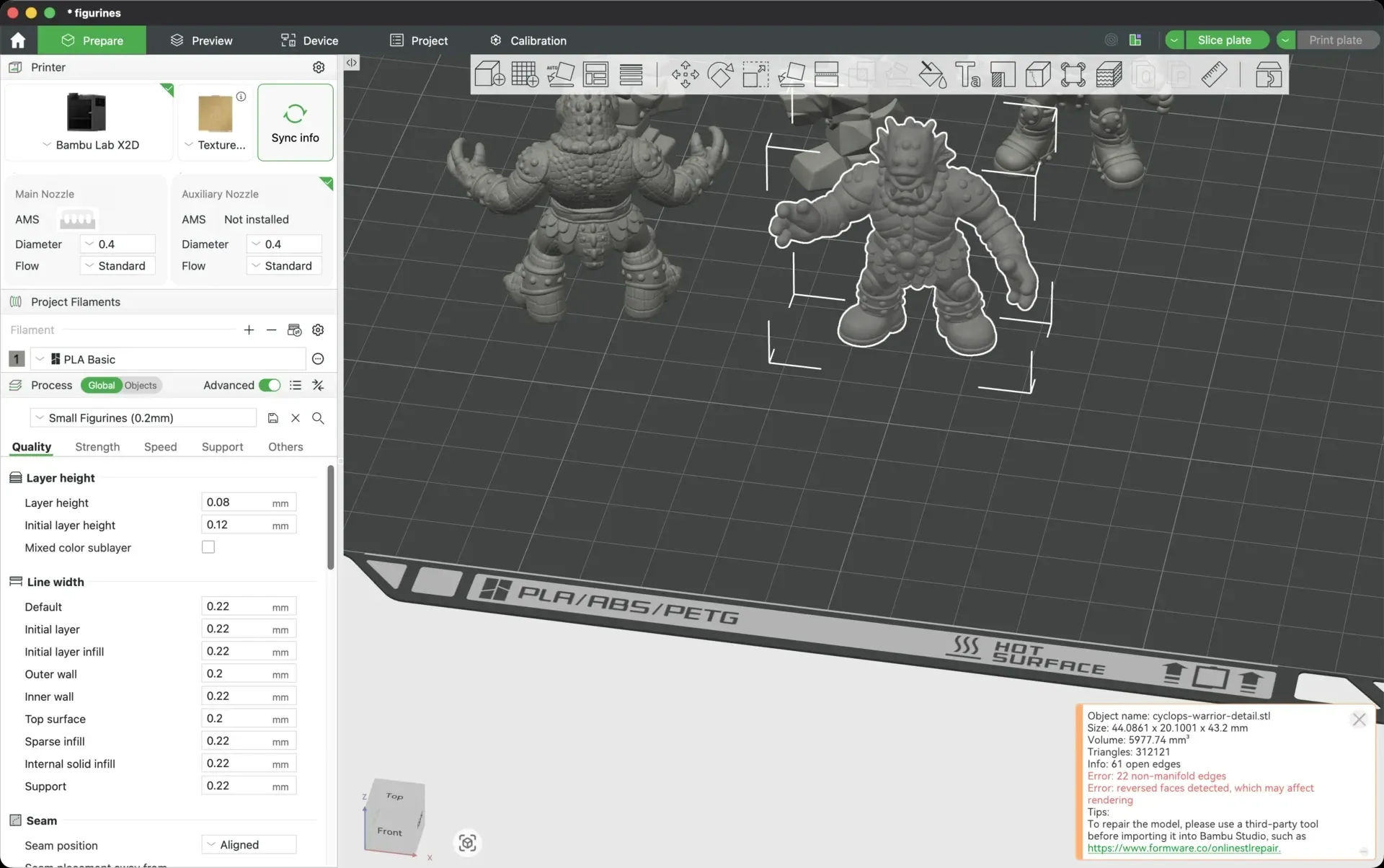
Ryan designed a set of pocket-size toy monsters in Plnty, inspired by the M.U.S.C.L.E. Men figures he had as a kid.
The characters grew from a few reference pictures into matching views, detailed close-ups and a handful of 3D prints.
01 / Ryan Haigh
New age M.U.S.C.L.E. Men
The idea started with renders of dissected toys from an older project. “Small, strange characters with enough personality to make a whole world out of a handful of them,” Ryan writes in his article. “I wanted to make a few of my own.” Those renders went onto a Plnty board beside photos of the childhood toys, as references for a new cast of characters.
Transcript
Ryan, 0:00. I'm going to show you how I made these figures in case it's helpful, because I actually switched between three different AI tools to get them done. This is a page from a case study presentation that I put together as I'm interviewing for roles. I actually made it a year ago. I made these outputs with Gemini, and what I wanted to do is make a few more of them. It's a play on a dissection of my works.
Ryan, 0:28. It harks back to my childhood. These were figurines that I had when I was young. I just thought it was cheeky and fun. Let's jump into Plnty. What I did within Plnty was I took the renders that I made a year ago, and then I took some additional references of the actual muscle men, all the different figures, because I wanted to create new and unique figures that didn't look exactly like these that I had already created.
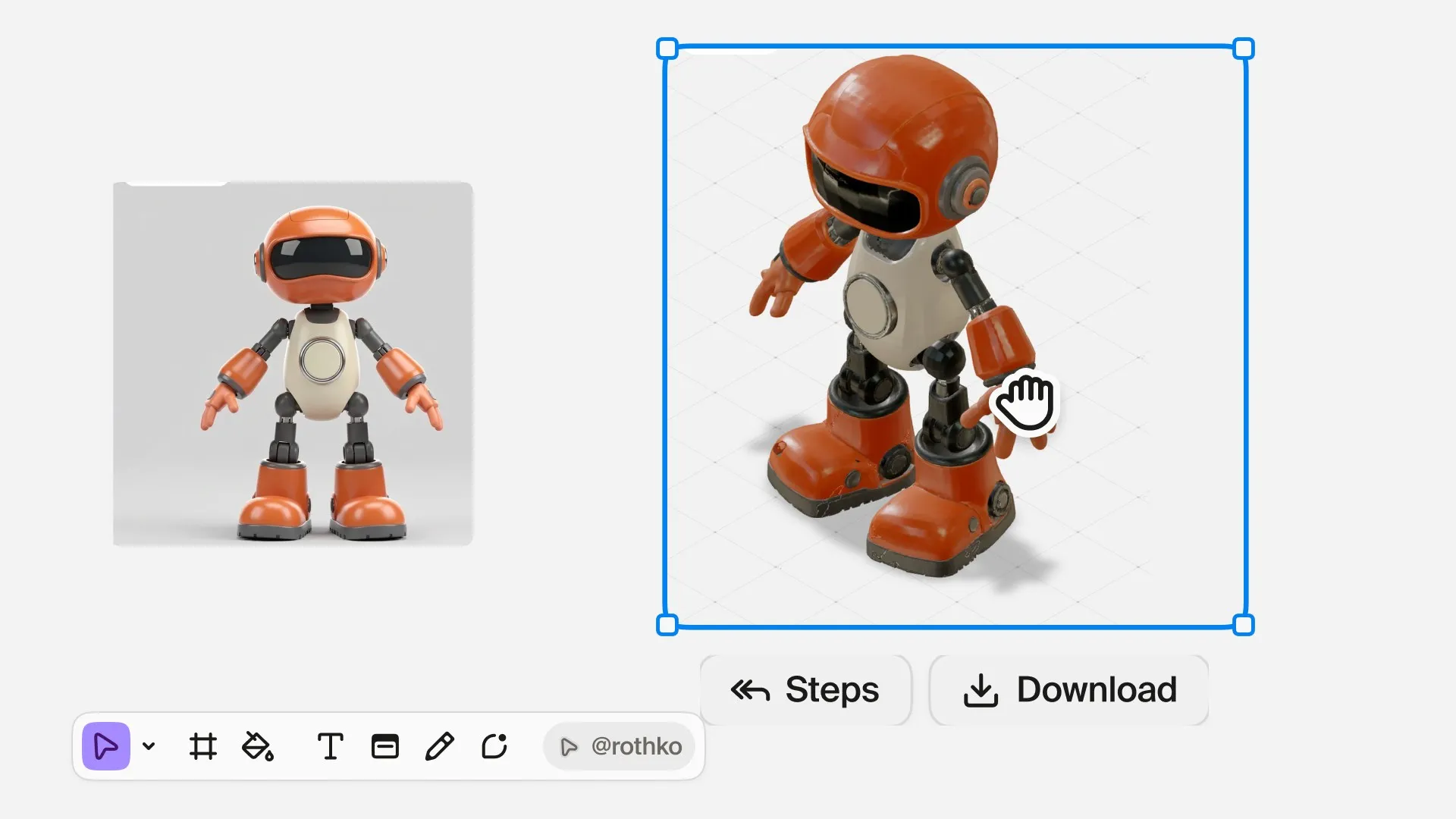
Ryan, 1:00. This is one of the first examples of what it was able to put out. They have this really interesting tool, Rothko, and it just was released. Basically I can select all these photos. I can say to Rothko, I want to generate a new image from these references in one-by-one aspect ratio. You basically type to it. Their UI is fantastic. Their tools are amazing, great way of informing people how to use different features within a given service.
Ryan, 1:42. That's really intelligently done by their team. They do have tutorials as well, but this just feels like a much more natural extension of learning how to do something. It's basically taking my requests. It will write out the prompt. It will select the aspect ratio settings, which you can see is happening right there. It basically drops a note when it's done, and it lets you run it.
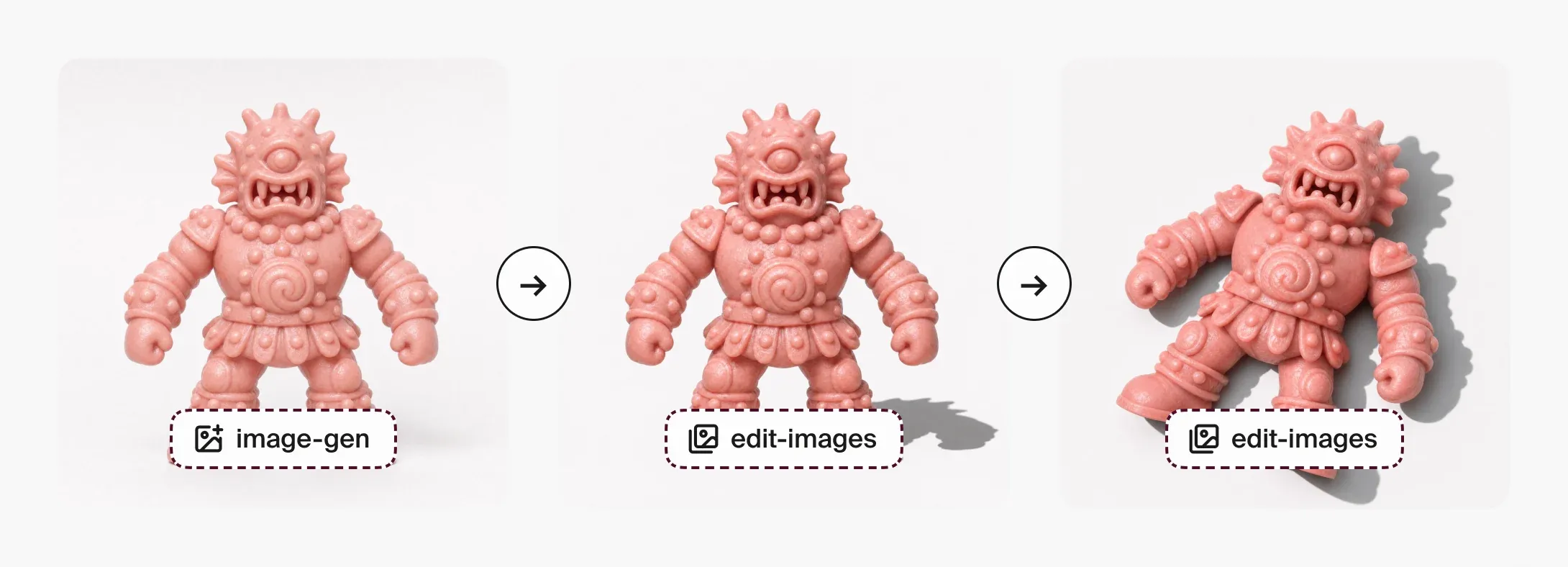
Ryan, 2:07. It doesn't want to spend your credits for you, which is nice, but let's just run it. You can choose the creativity style. Let's just do bold. Why not? While that's going, I'll show you guys some additional stuff. For this, it wasn't quite the camera angle or the intent that I wanted. I wanted the figurine to be on its back through a series of different steps. You can see these steps here.
Ryan, 2:33. You can see that I went ahead and I asked for edits from this to this to this, and then you can actually recreate those steps as a chain, which is another really interesting feature. You might get an output, and I did. I got a couple more outputs here and here that are very similar to this, and then you can try to recreate the steps that got to the final thing that you are happy with by using that particular chain.
Ryan, 3:01. I did try the chain in a few instances, and it was able to come up with this and this. It came up with this option too. Those all got much, much closer to what I was actually intending. As I got to a few of these, I wanted to change the color. This one, for instance, I wanted to remove the arm off of it. What I've been doing is I'll download them, I'll drop them into ChatGPT because I've been getting way better results in the ChatGPT app for changing color and changing some of the aspects of popping off arms and doing certain things like that, but what happens is when you download those, you basically, I'm going to come back to Plnty, you get a render, an output I should say, that is smaller.
Ryan, 3:52. Here's another example. This was one of the versions that I downloaded from ChatGPT, but then what you can do is you can use their image upscale. I can basically select that tool, drop this in, choose 2X, 4X. I have been using Topaz Bloom, Bloom 2, and Bloom Realism. They just, in my opinion, have been the best at figuring out how I want these things to look and feel. A lot of these little imperfections on the figurines, I kind of liked.
Ryan, 4:24. I didn't want them to feel perfect. These were 4X outputs from the upscaler. From there, you can do remove background if you wanted to. It's another really simple, easy tool. I just hit it, so it's working on it right now. One of the other fun tools that I have leveraged is their macro style. Basically you can select one of these close-ups. You can drop in one of these images. Let's do this actually, because this one has a thing on the foot where I made an indented RY Toys.
Ryan, 5:01. The remove background is done. It's very clean. It does a great job actually getting you to a point where you could have a transparent PNG really easily. I lose the shadows, so that's not my intent. That's not what I wanted. But in certain cases, this can be really quick and helpful for a lot of your creative needs. Then close-ups are going to take a while, so we're going to pause here for a second, and then we'll show you what the end result looks like in a second.
Ryan, 5:29. These are ready. Let's just pull these over. Get a nice close look at these. They're insanely detailed. It's really fun to see what it's proposing. The actual textures are on these objects. I could actually bring in the image upscaler and then upscale these even more if I wanted to with the Topaz model that I've been enjoying. Yeah, a lot of fun tools on here. I do have some upgrades, or invites I should say, so if you are interested in trying out some of the stuff that they have, just shoot me a DM and I'll try to add a few of you guys.
Ryan, 6:10. That's it. Have fun. Happy building.
02 / How it was made
From a request to the first figure
The first attempts failed because a wide lineup reference pushed the image beyond the model's supported shape. Asking Rothko for a square image got things moving: it filled in the image-gen card, wrote the prompt and set the shape. The result was a crowned fish king in pink plastic. “It's basically taking my requests,” Ryan says in the walkthrough. “It will write out the prompt. It will select the aspect ratio settings.” Pressing Run stays with the person: “It doesn't want to spend your credits for you, which is nice.”
Three steps, tested as a chain
The fish king came back standing, so the next edits asked for it to lie on its back with a hard shadow. Saving those steps as a chain made it possible to try the same approach on the cyclops and the boar warrior. “Those all got much, much closer to what I was actually intending,” Ryan says. The chain remained an experiment; those versions didn't go on to 3D.
Start with three views
The next step was to give each character a side and a back. Both came from the front image, with the prompts “side profile” and “back profile”. “The views need to agree on the things that define the character: its pose, proportions, clothing, head shape, and accessories,” Ryan explains. The fish king, boar warrior and cyclops each went to Meshy as a set of three views.
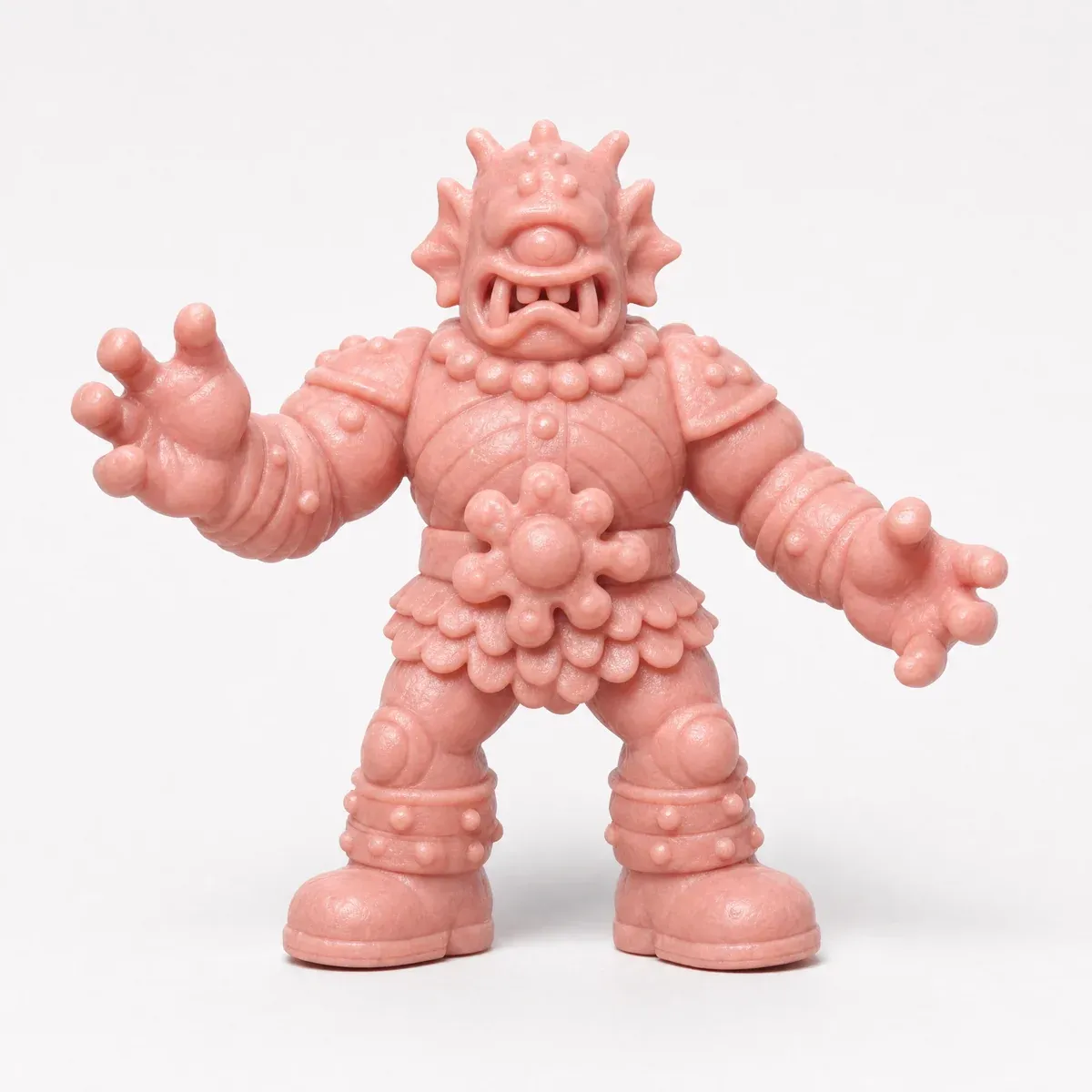
Frontimage-gen, from Rothko's words 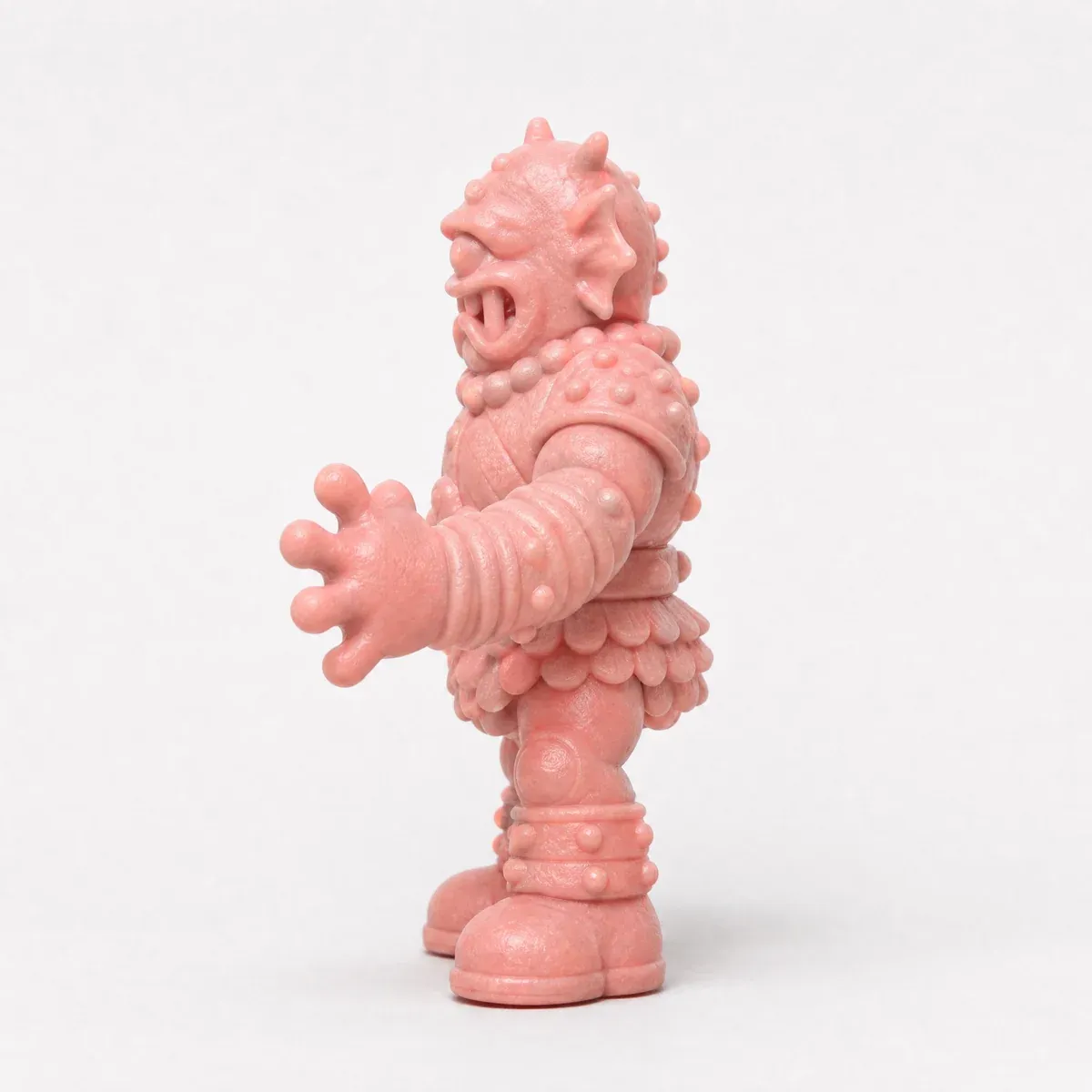
Side"side profile" 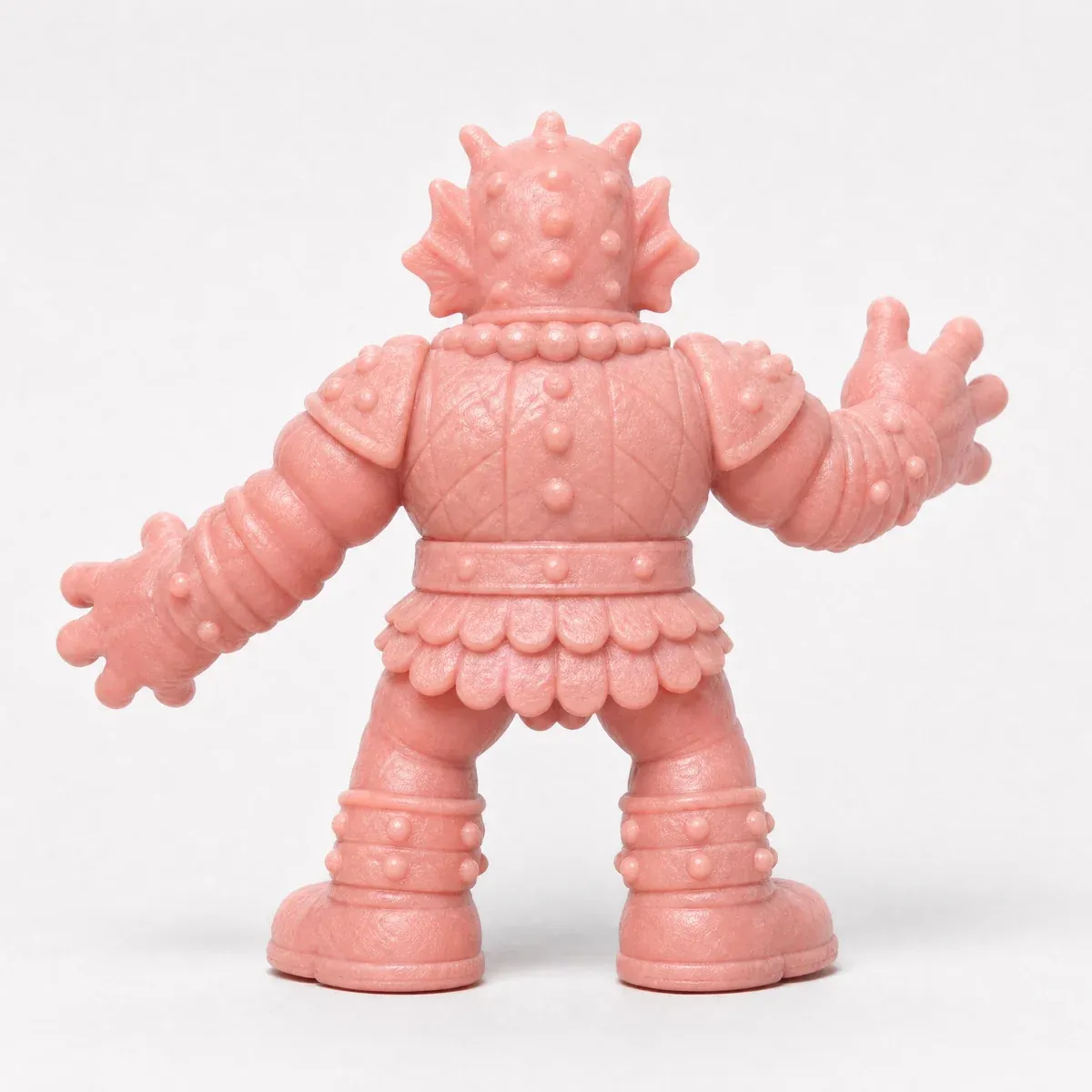
Back"back profile" 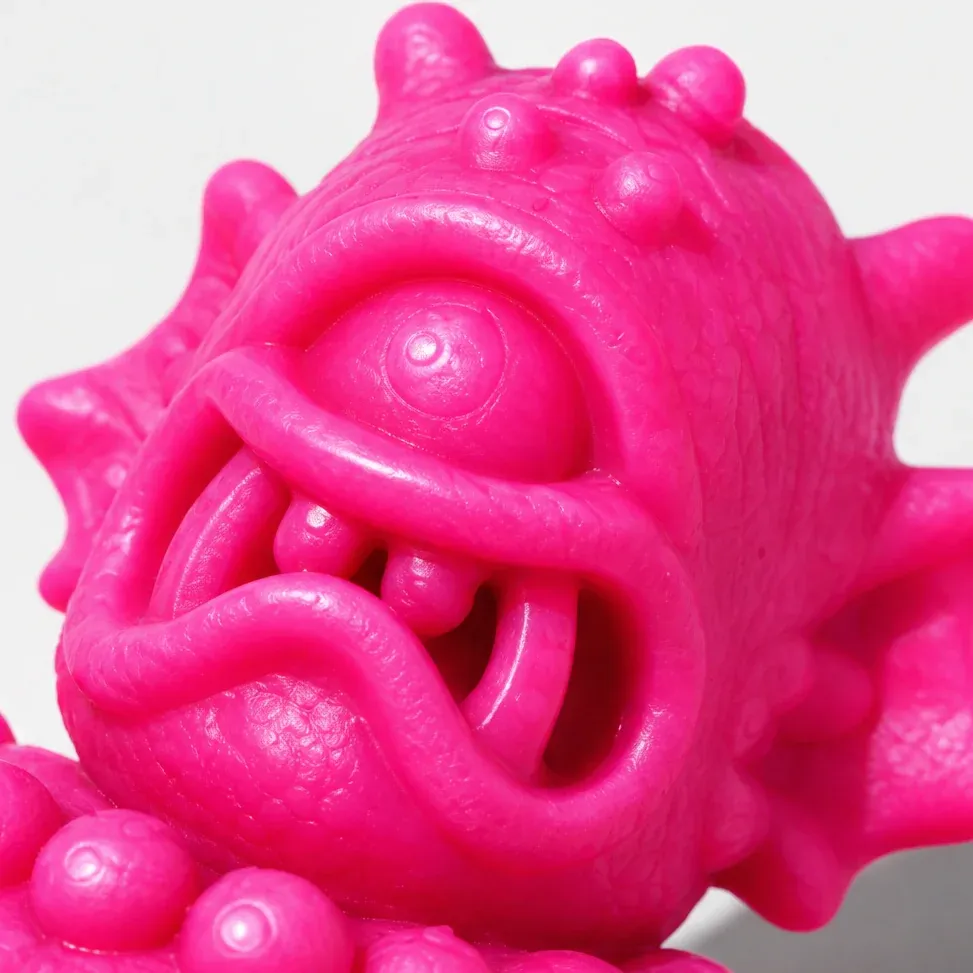
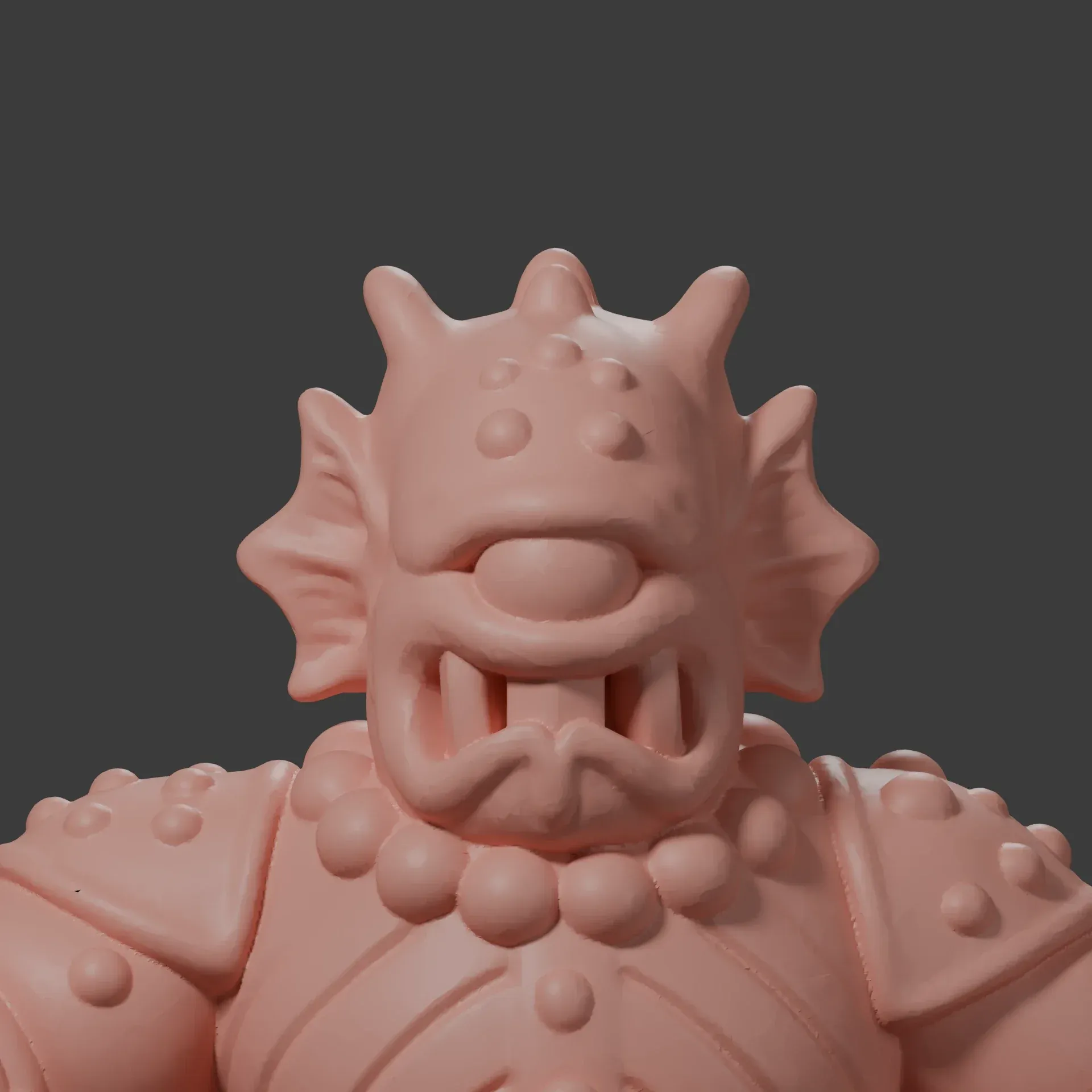
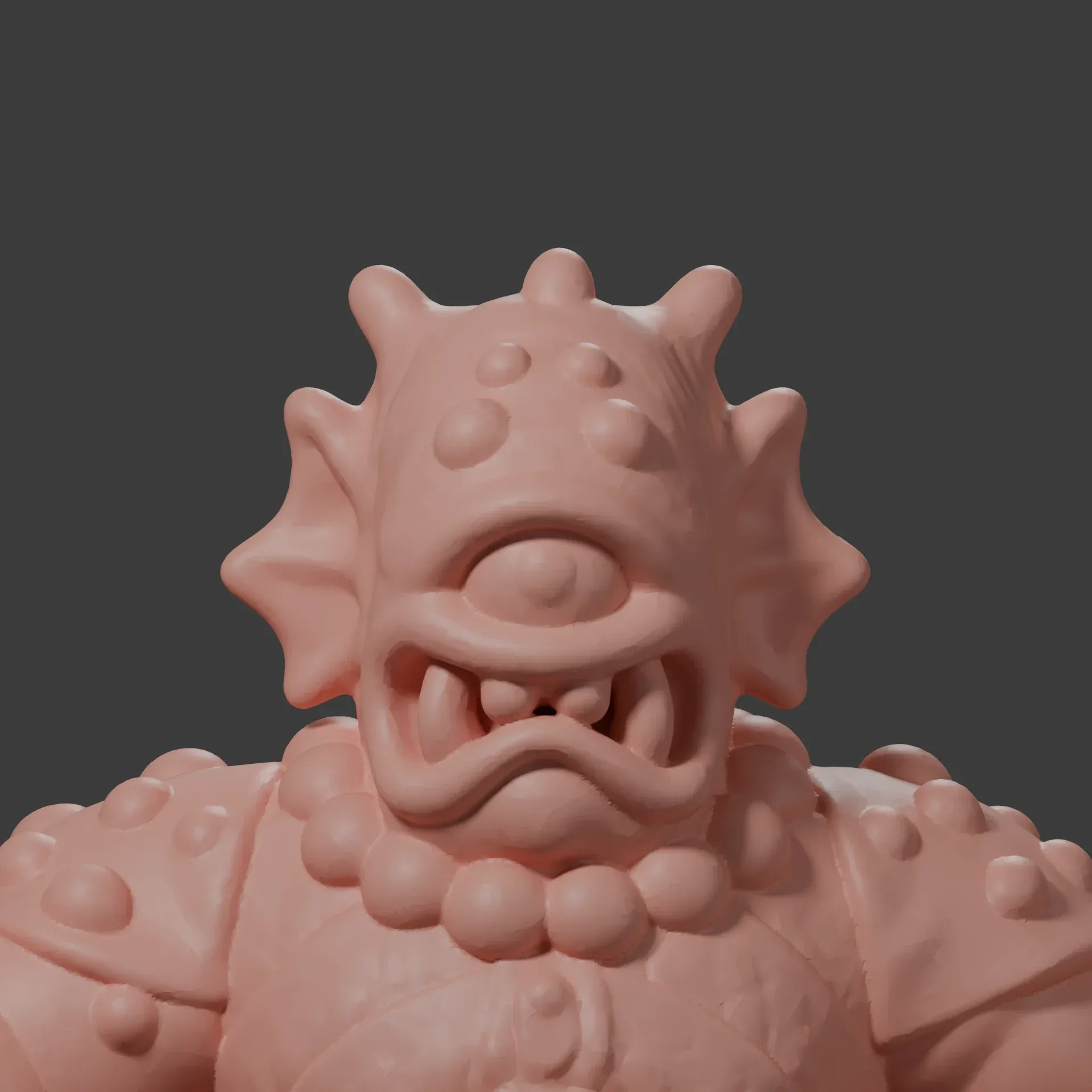
Face close-upclose-ups, on a hot pink recolor
Close-ups the mesh could read
The cyclops's first mesh had the right silhouette, but its eye was a plain dome. A face close-up gave Meshy more to work with: “the face close-up did the most. All three tests that included it produced a pupil and separate teeth.” These close-ups came from a hot pink version of the character recolored in ChatGPT, then brought back into Plnty. Adding a skin close-up as the texture image produced “the only model with grain and wrinkles in the mesh”. The walkthrough also shows close-ups of the red figure's boot, stamped RY Toys.
From the views to the print
Meshy's multi-image reconstruction, through Higgsfield, turned the views into a textured model. A repair pass prepared it for slicing, and Bambu Studio set it to the original toys' scale of 43.2 mm before a Bambu X2D printed it in PLA. Ryan's free tool Polymend now handles that repair step. His article walks through the attempts along the way: “A successful export and a convincing reconstruction are different milestones.”
Expert view
My favorite part is how far the original image traveled. A little creature on a canvas became something I could turn around in Blender, hold in my hand, and scatter across a website.
 Ryan HaighDesigner and builder, heyhaigh.ai
03 / The figures
New characters from a few words
Once the first three worked, a few words were enough to start another character: a castle man, a crocodile, a wrestler with a cape. Small edits shaped their personalities, with prompts like “shorter tail” and “smaller cape, evil smile”. The variations tool helped explore different shapes and proportions without starting over.
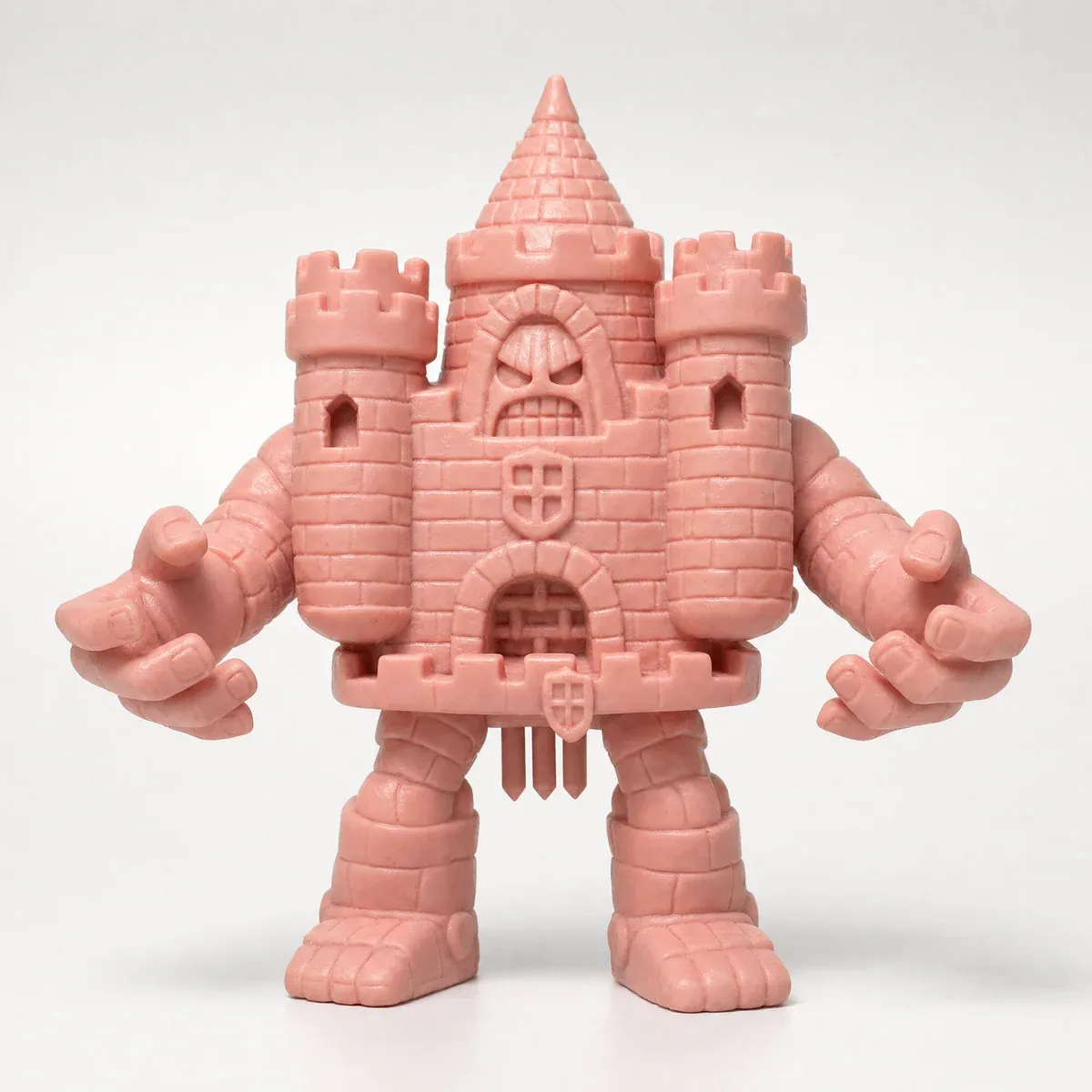
The castle man"it should be a big castle man with arms and legs" 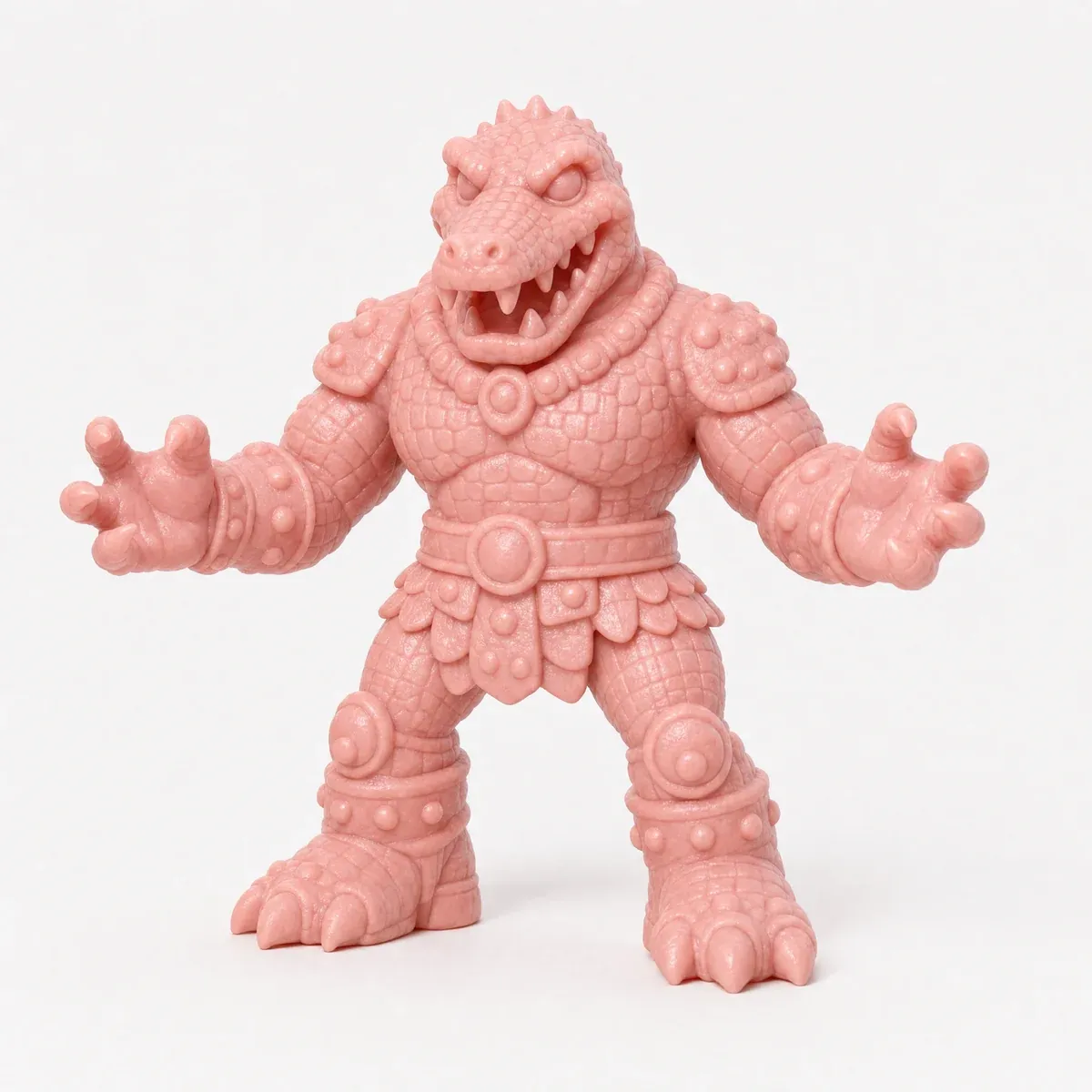
The crocodile man"Crocodile Man" 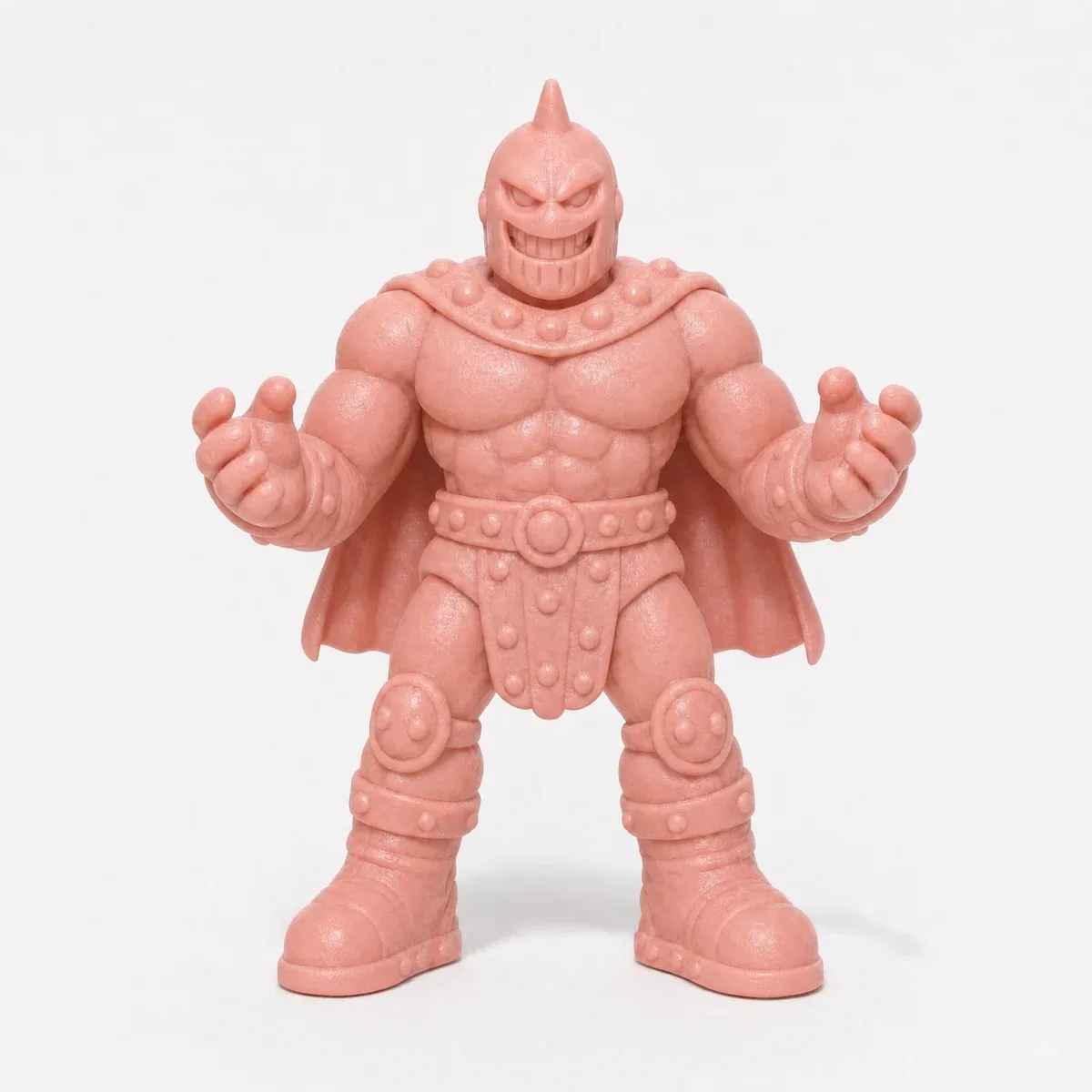
The caped wrestler"wrestler with cape", then "smaller cape, evil smile" 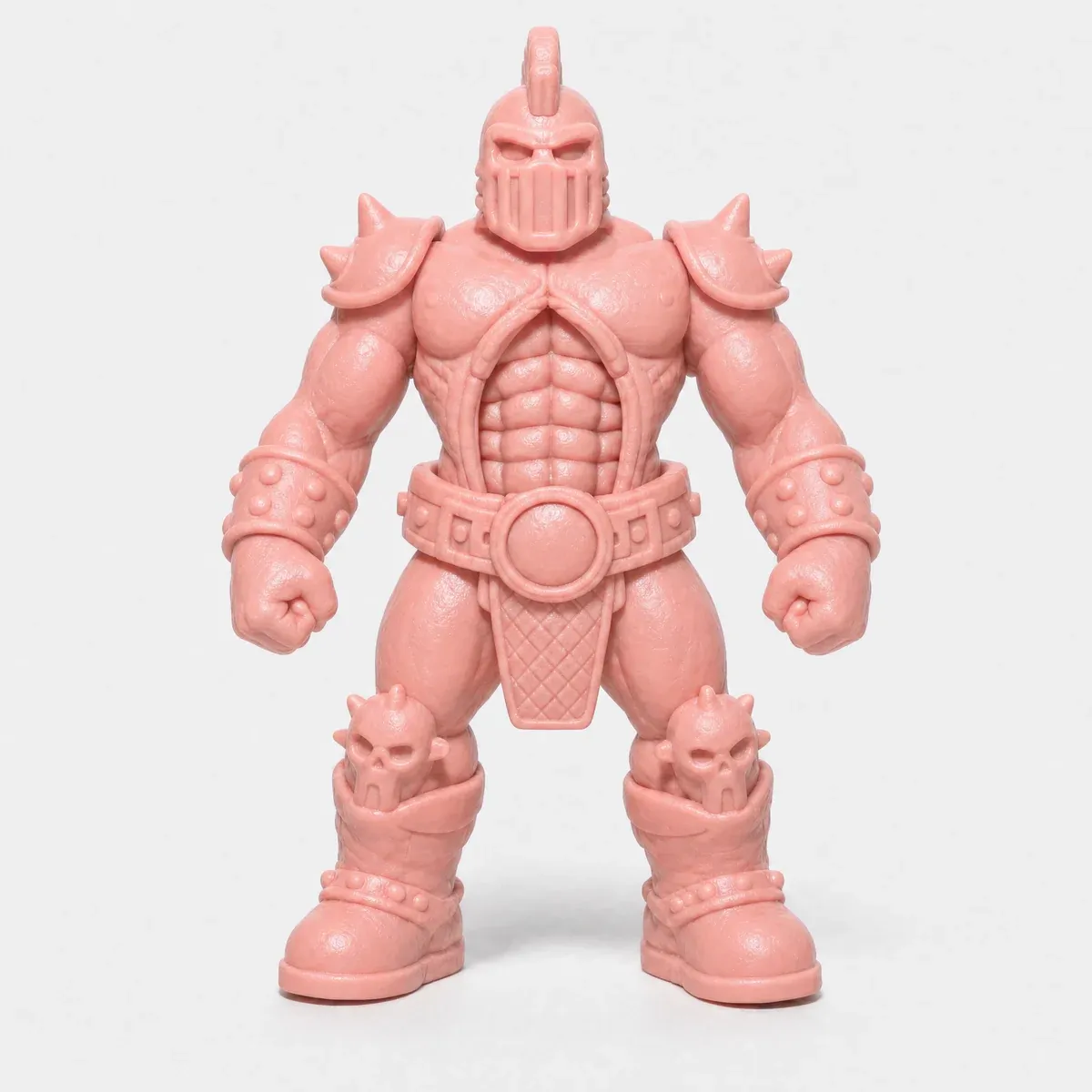
The mohawk wrestler"closed fists, mohawk, chunky belt buckle with no skull"
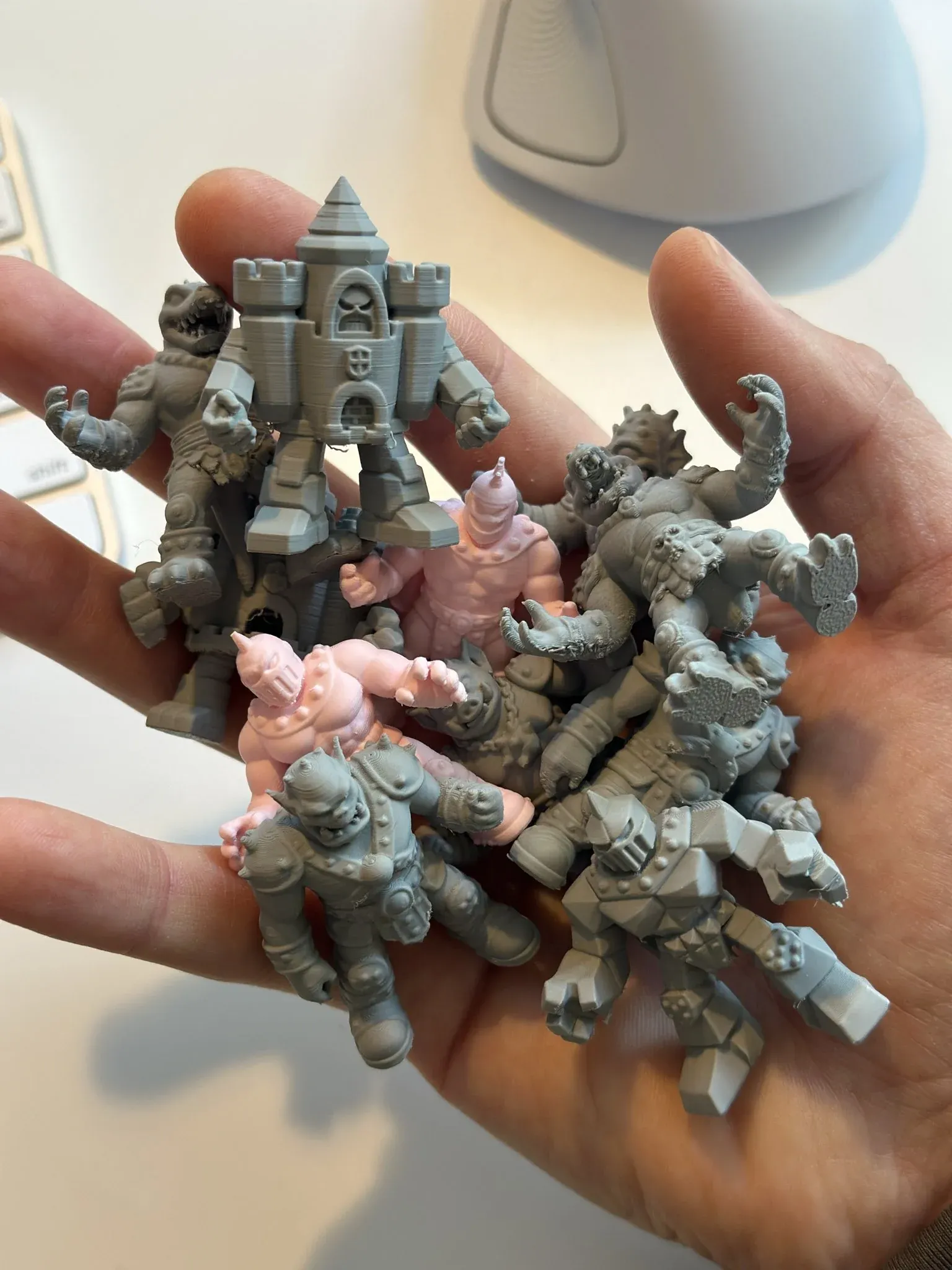
Printed at 43.2 mm
The printed collection grew to about ten characters, including the castle man and crocodile. Layer lines show at this size, but the faces and armor still read. As Ryan wrote about the first three, “the characters made the trip: I can recognize the faces and armor, and hold all three figures in one hand.”
04 / For makers
Running it yourself
The same route runs in Plnty today. A request to Rothko sets up a card and writes its words, and it waits for you to press Run. The image-gen card can make a figure's side and back from its front, and close-ups pulls out the detail a 3D model can take as a fourth view. The step Ryan ran outside is on Plnty's 3D rail too: tripo-multiview builds a model from a front view with side and back views, and meshy-multiview from up to four pictures of one object, Meshy's multi-image reconstruction.
Polymend, the free repair tool Ryan built, runs in the browser at polymend.xyz and as a ChatGPT plugin in the desktop app and Codex. Ask ChatGPT to use Polymend on a model from Plnty, with the views it was made from, and the plugin repairs the small faults a slicer flags, checks the model against the views and writes a clean STL and 3MF at the height you ask for.
265 results, 19 tools
How do you turn an AI image into a 3D print?
Ryan's route was four steps: three views of one character from the front, side and back, made in Plnty; a multi-image 3D reconstruction (Meshy, through Higgsfield); a repair pass for the edges a slicer flags (Polymend); then the slicer, at 43.2 mm in PLA. In Plnty, tripo-multiview and meshy-multiview build the model from the views on the same board, and Polymend's ChatGPT plugin repairs that model into an STL and a 3MF from one request.
What reference images does image to 3D need?
Separate front, side and back views that agree on the pose, proportions, clothing, head shape and accessories, with simple backgrounds and the whole figure visible. A close-up of one feature as a fourth image adds detail three views can miss: in Ryan's test the face close-up gave the cyclops a pupil and separate teeth.
How do you keep a character consistent from front, side and back?
Make the side and back from the front itself, as an edit, so every view starts from the same figure: Ryan gave image-gen the front and two words, "side profile" or "back profile". Check the views against each other before sending them on, since a crown that changes between angles gives the reconstruction conflicting evidence.
Outcome and limitations
What the process achieved
A cast of pocket-size monsters, with matching views made in Plnty and about ten characters printed. The first three also appear bouncing out of a drawer on Ryan's homepage.
What required manual work
The recolors were made in ChatGPT, the meshes in Meshy through Higgsfield, and the repair in Polymend. Bambu Studio and a Bambu X2D handled slicing and printing in PLA. The halftone look and homepage animation were also made separately.
What remained unresolved
The cyclops's test versions made with the close-ups are not printed yet, and PETG did not print as well as PLA on figures this small.
Sources and methodology
Work, words and prints by Ryan Haigh. This story draws on his article “3D Printing From 2D AI Outputs”, his Plnty board and his posts on X. The walkthrough plays as shared; our card demonstration recreates the first fish king run. The recolors, meshes, repairs, prints and homepage animation were made outside Plnty. The tool chart covers finished results on the board and in the library from 22 September to 14 October 2026, excluding the board's starting examples. Polymend details come from its website and ChatGPT listing, read in October 2026.
About the author

Make your next character in Plnty
Start from a sketch or a reference, ask Rothko for the first figure, then give it a side and a back.