Case studyUpdated
How Island kept its brand refresh growing in Plnty
By Plnty team


- Case studies
- Image
- Motion
- Art direction
- Workflow
Island's brand refresh started with Yambo Studio's landscapes, sculpted trees and outdoor workspaces, plus a trained style the team could use to make more in Plnty.
The island.io team took it from there, making new scenes and animations for the website, the Enterprise AI launch and their hiring campaign.
01 / Island
A brand world built to grow
Yambo Studio had already worked with Island on the imagery for its RSAC booth. For the brand refresh, the studio built on that world of still lakes, winding rivers, clipped trees and desks in open fields, all in greens and pale skies. Along with the renders, Island's team got a LoRA trained on them in Plnty. They could use it to make new scenes in the same style as the brand grew.
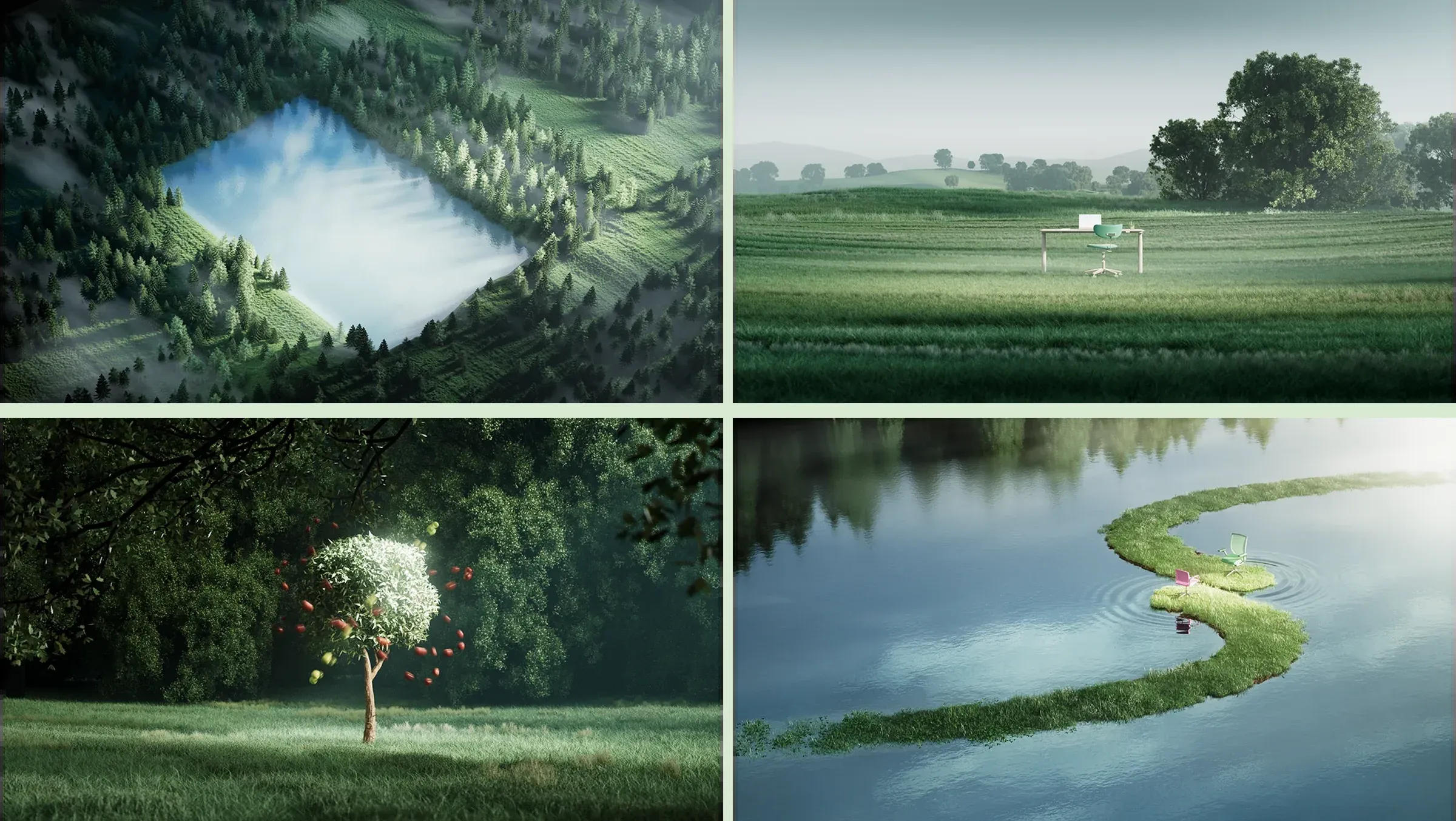
Three styles from one world
Tom, Bar and Adi from the island.io team started exploring their own takes on the style. Tom used a LoRA trained on Yambo Studio's renders of dusk hills and rooms that look out on mountains, while Adi explored mazes and topiary. They used lora-gen to try out new scenes, with Bar exploring how much of the shared look to keep. What came out carried the world past the renders: a meadow of flowers shaped like plus signs, trees clipped into a cone, a sphere and a cube. See some examples below.
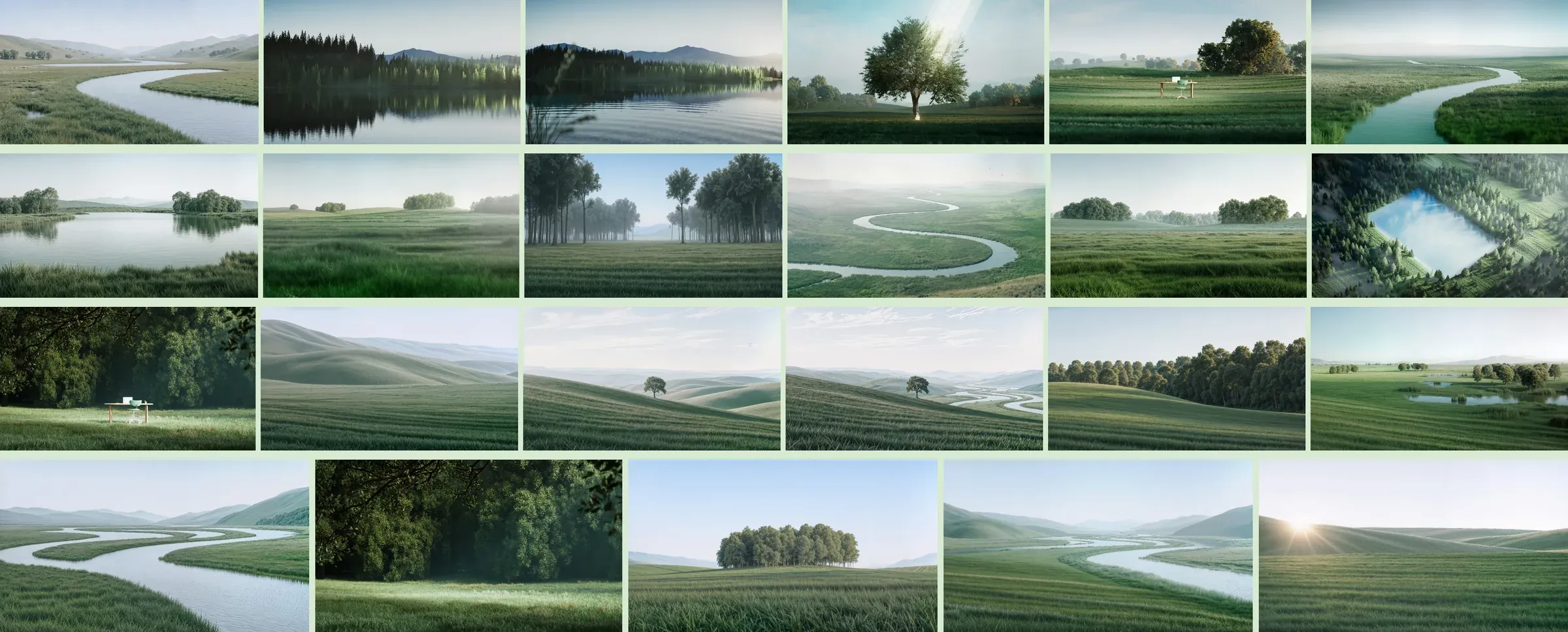

02 / The launch and after
The launch film
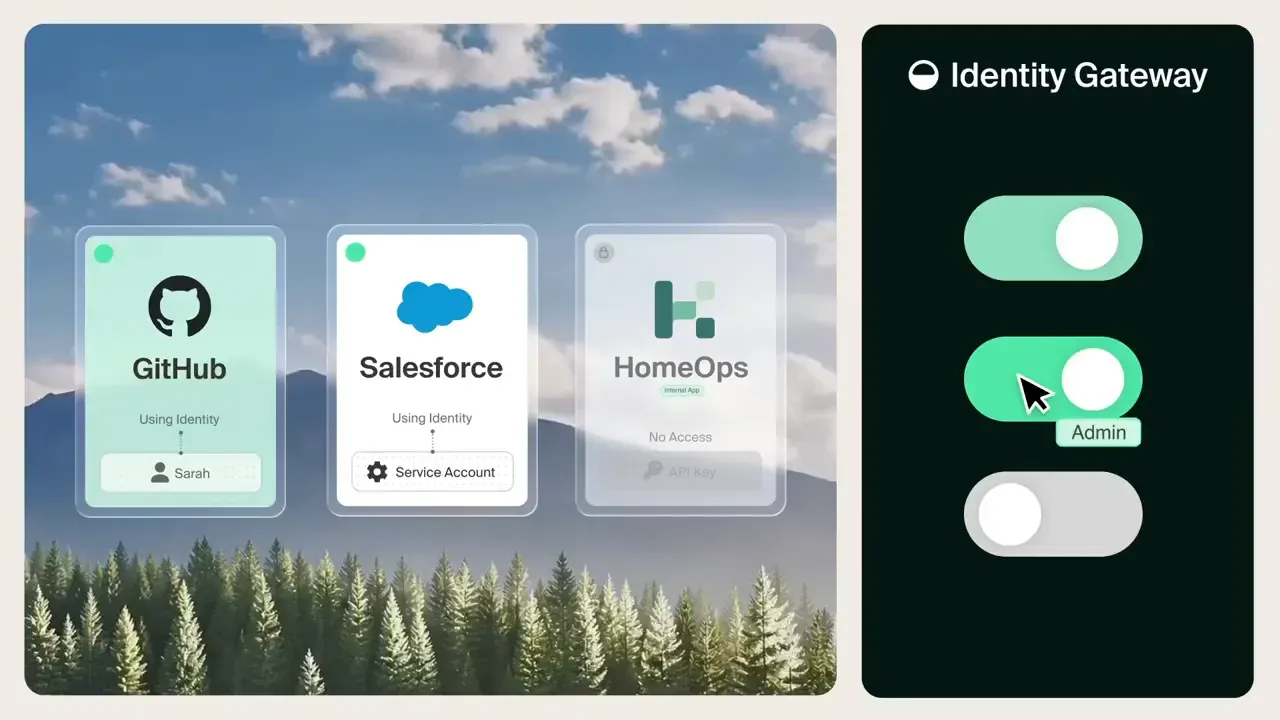
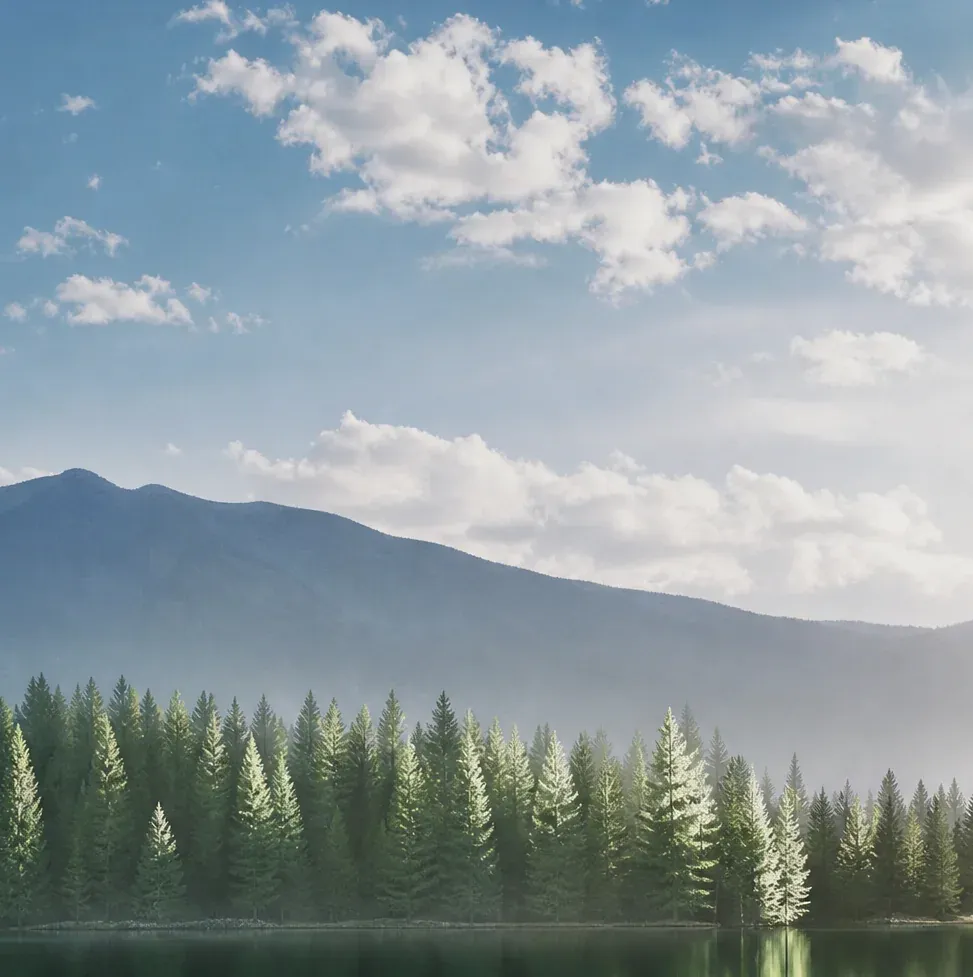
Island's film for the launch lays the product's interface over landscapes. The team used close-ups on a forest lake to make the mountain sky behind the cards, then worked on an orange sunset with an edit and upscale. Both made it into the final film. Take a look below.
Transcript
Narrator, 0:00. Let's talk about agents. They're everywhere now, doing all the work your people do. Except your agents aren't your people. They never got the handbook, never did the training. They do their job their way.
Narrator, 0:17. So they use any tool or skill they find, borrow identities, access all kinds of data, and run up costs without asking. But what if there was a way to make sure your agents worked on your terms? Well, there is.
Narrator, 0:34. Island, the control plane for the agentic enterprise. Island puts you in charge of every place your agents and people do the work, showing you every agent, MCP, and skill, even the ones no one approved, and scores them for risk before they do any work.
Narrator, 0:51. You know which identities agents use and what they're used for, so you can easily dial access up or down. Even the private apps that were always off limits.
Narrator, 1:02. Because Island is everywhere work happens, it sees each agent's every move as it happens, and steps in before they step out of bounds. And everything is on record, with one audit trail for all AI activity across the organization.
Narrator, 1:19. Island also makes sure the right model is always on the right task by tracking your AI usage and spend across the organization.
Narrator, 1:28. With Island, you're in control of it all. So your agents and your people just get the job done. Turns out the future of enterprise work arrived early.
On island.io
The homepage landscape started with lora-gen and an edit to give the cypress a rounder shape. The Island team added office chairs to finish the image, which also appeared on the Enterprise AI page and the launch post. More of their work found its way onto the site, too. A river through green hills became a blog cover, a tree on a lavender hill appeared on article cards, and pale grass waves became an Engineering Blog background.
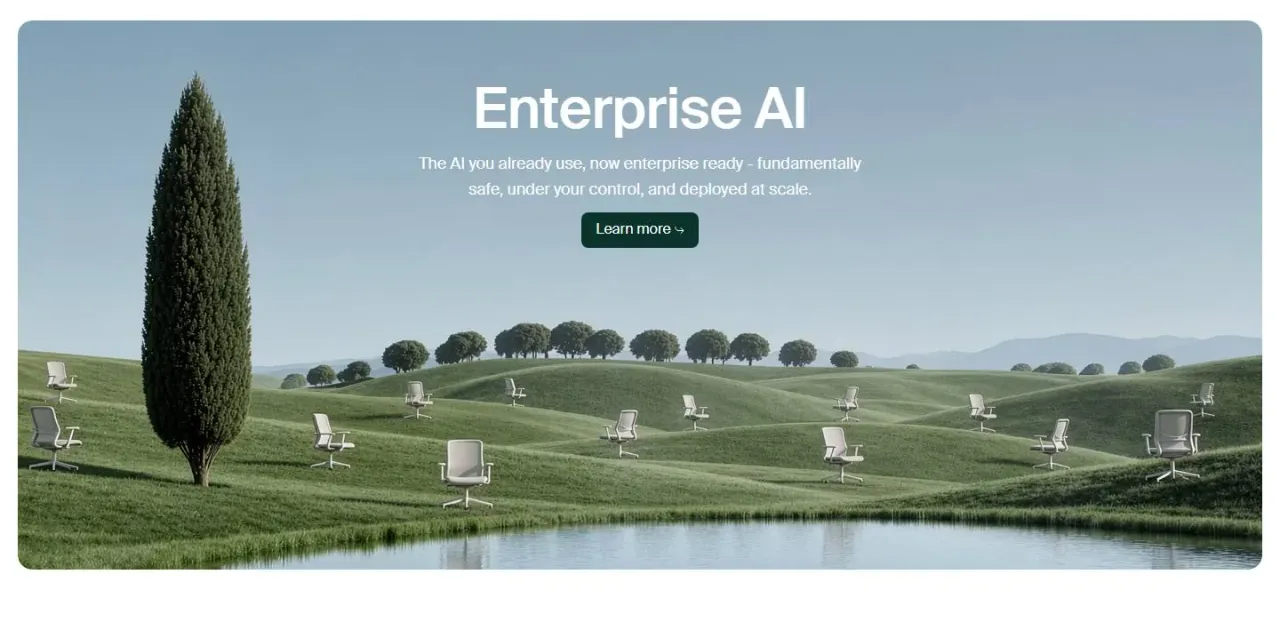 Brand landscape · Homepage
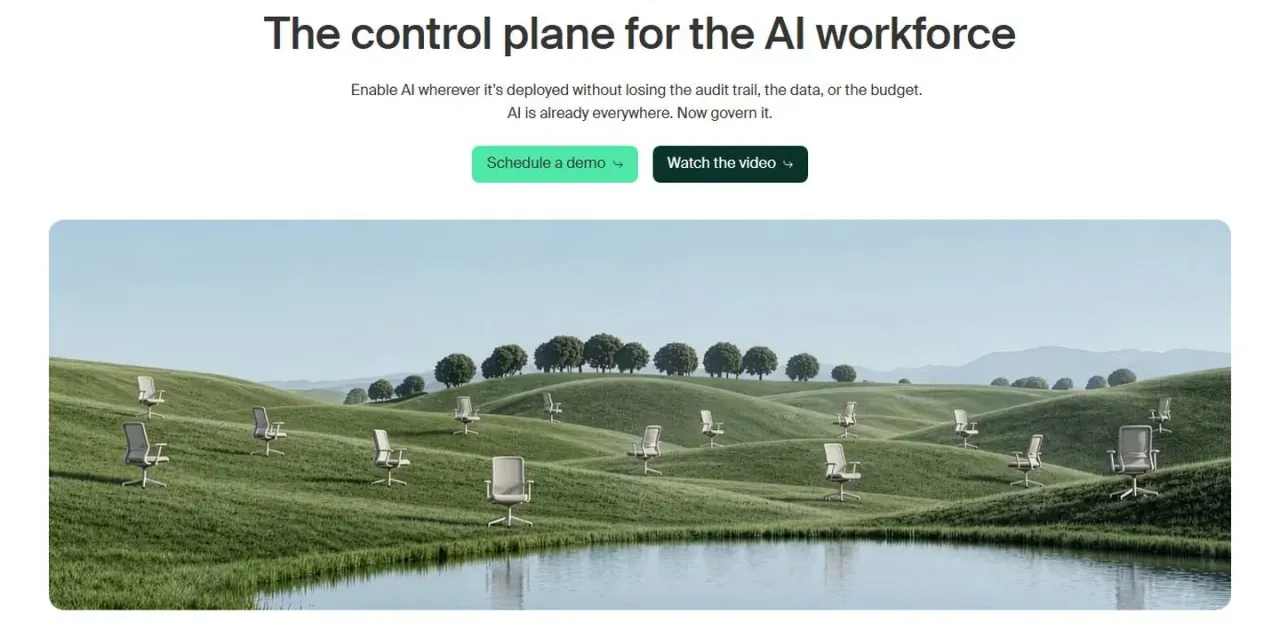 Brand landscape · Enterprise AI
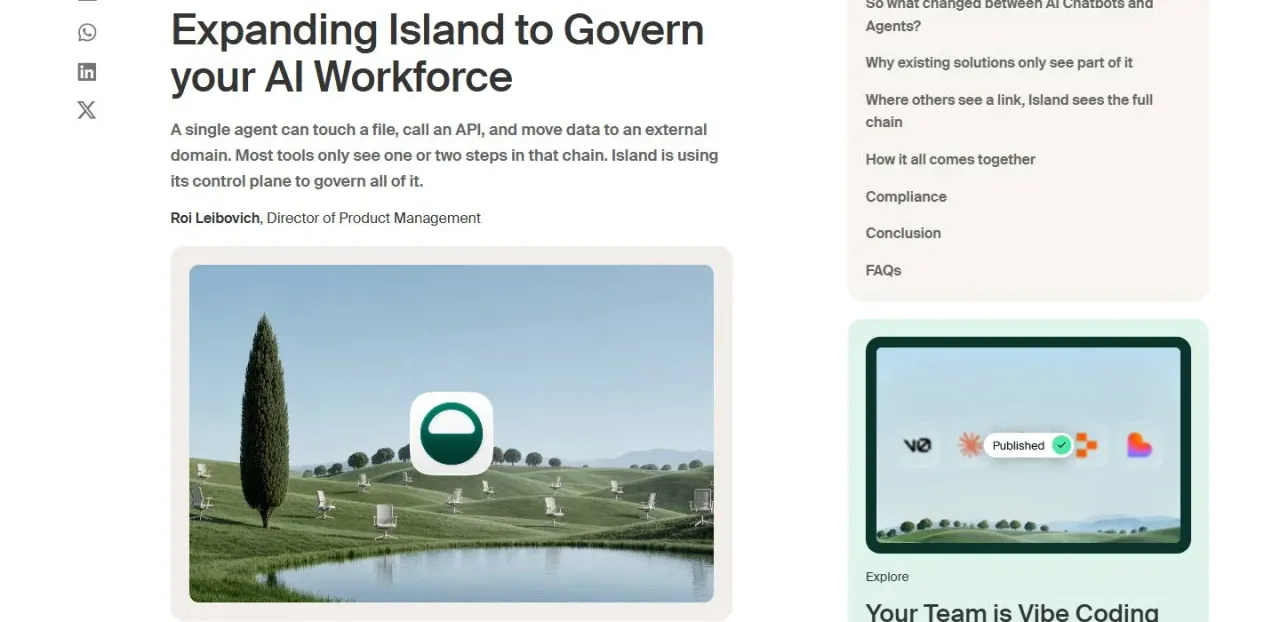 Brand landscape · Launch announcement
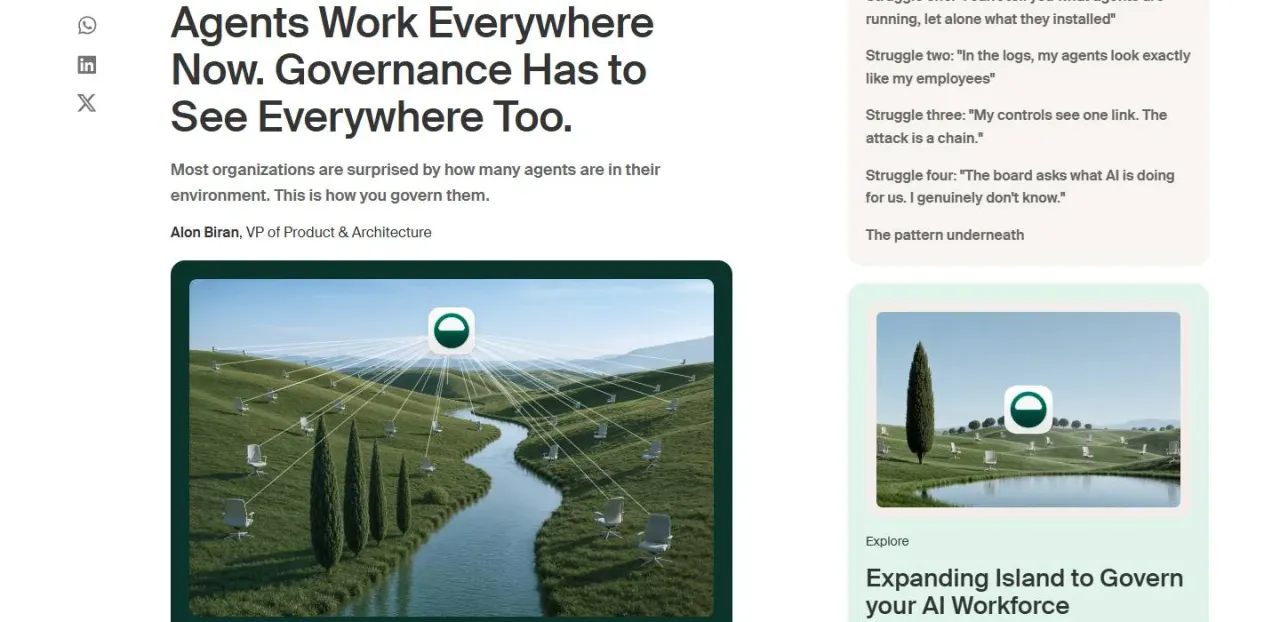 River landscape · Blog cover
Event cards
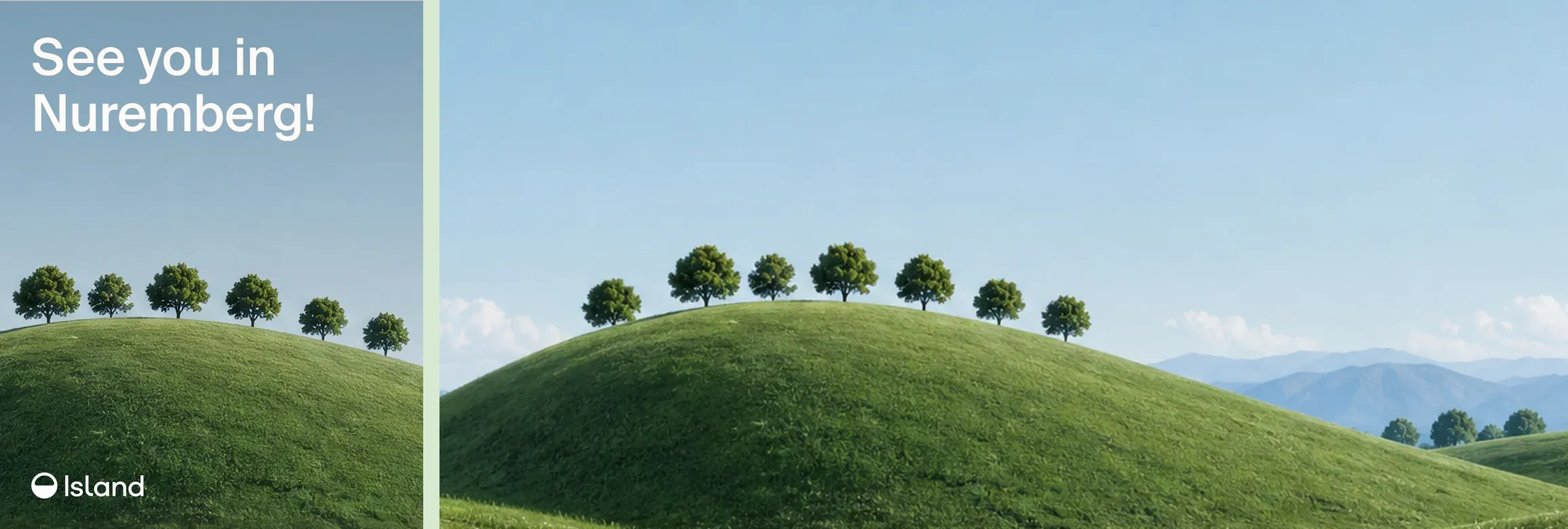
For an event in Nuremberg, the team cropped a green hill and row of trees into an event card with 'See you in Nuremberg!' across it. The homepage landscape showed up again in the speaking-session announcement and a LinkedIn post about onboarding AI agents.
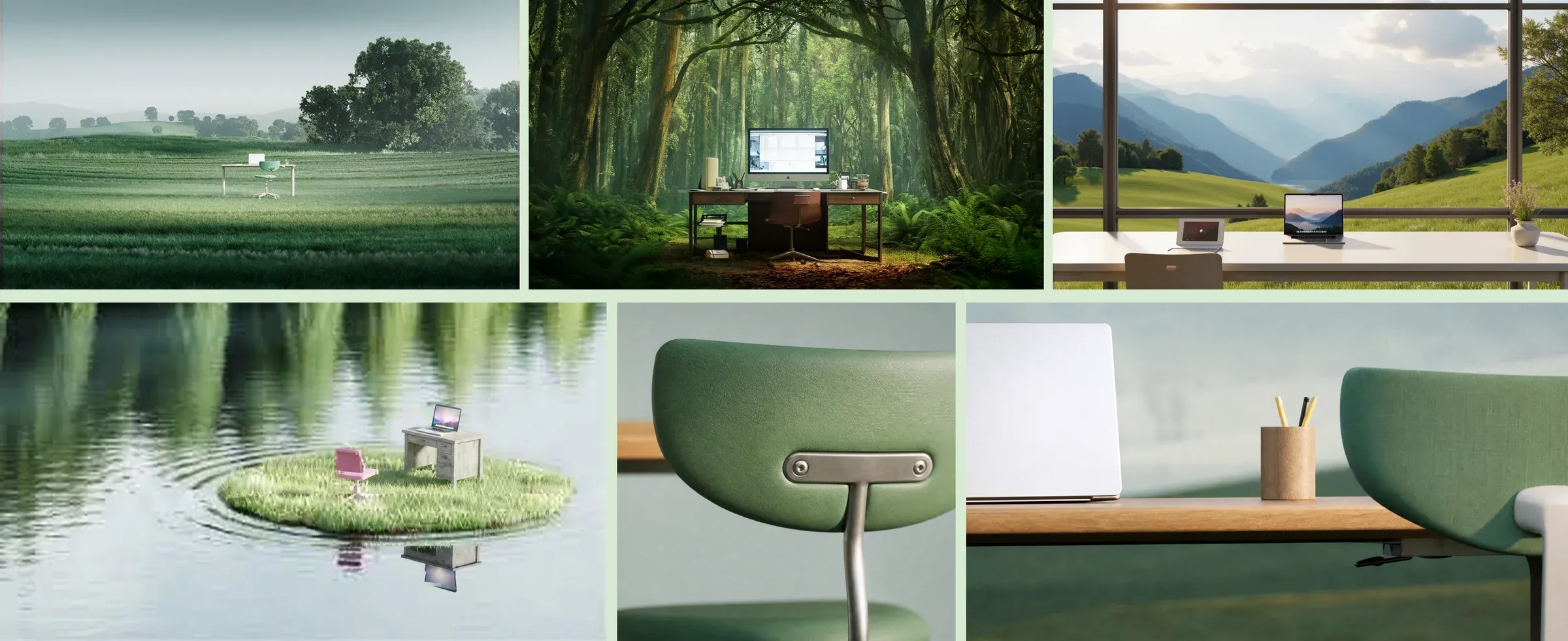
A desk in nature
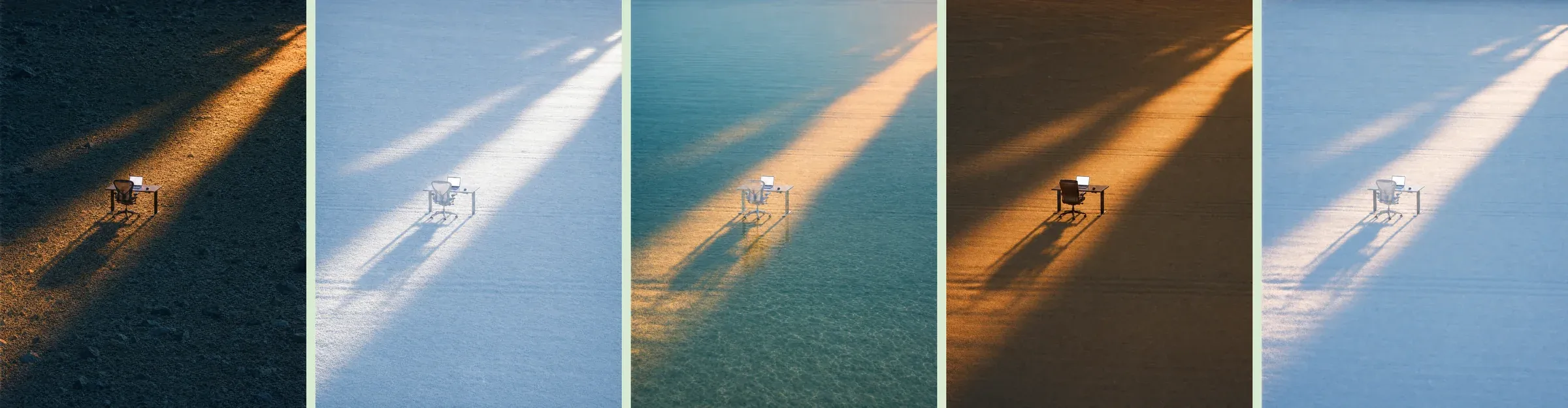
The desk in a field was an idea the team kept coming back to. They tried workspaces looking out on mountains, deep in a forest and on a floating patch of grass. With close-ups, they could get into the smaller details, like the back of a green chair or a pencil cup beside a laptop.
Take your seat
The desk idea grew into a series of five landscapes under a single beam of light. Using Seedance 2.5, the team made the chair roll up and the laptop open. In another scene, a lamp, a glass, a laptop and a book float down onto a desk. They also tried a window-seat series, with a plane coming in to land on an island runway.
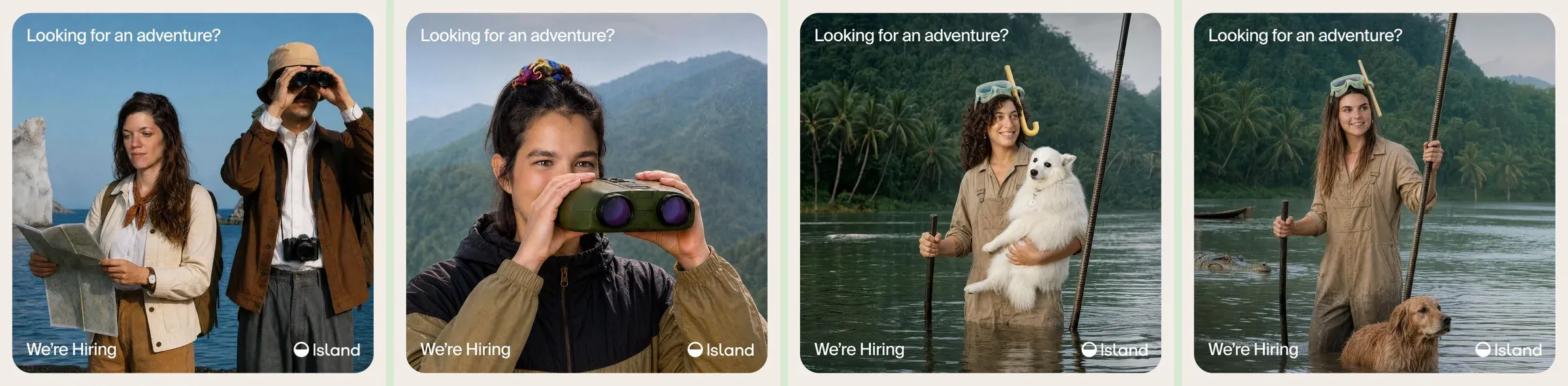
Looking for an adventure?
For the hiring campaign, the Island team started with employee referrals and put the people who already work there into the pictures. Colleagues appeared on a rocky coast, in forested mountains and in a jungle river, with binoculars, maps and snorkels. The rocky-coast image was edited and upscaled in Plnty for the campaign. The team shared the results on LinkedIn with 'Looking for an adventure? We're Hiring'.
Merch for Island life
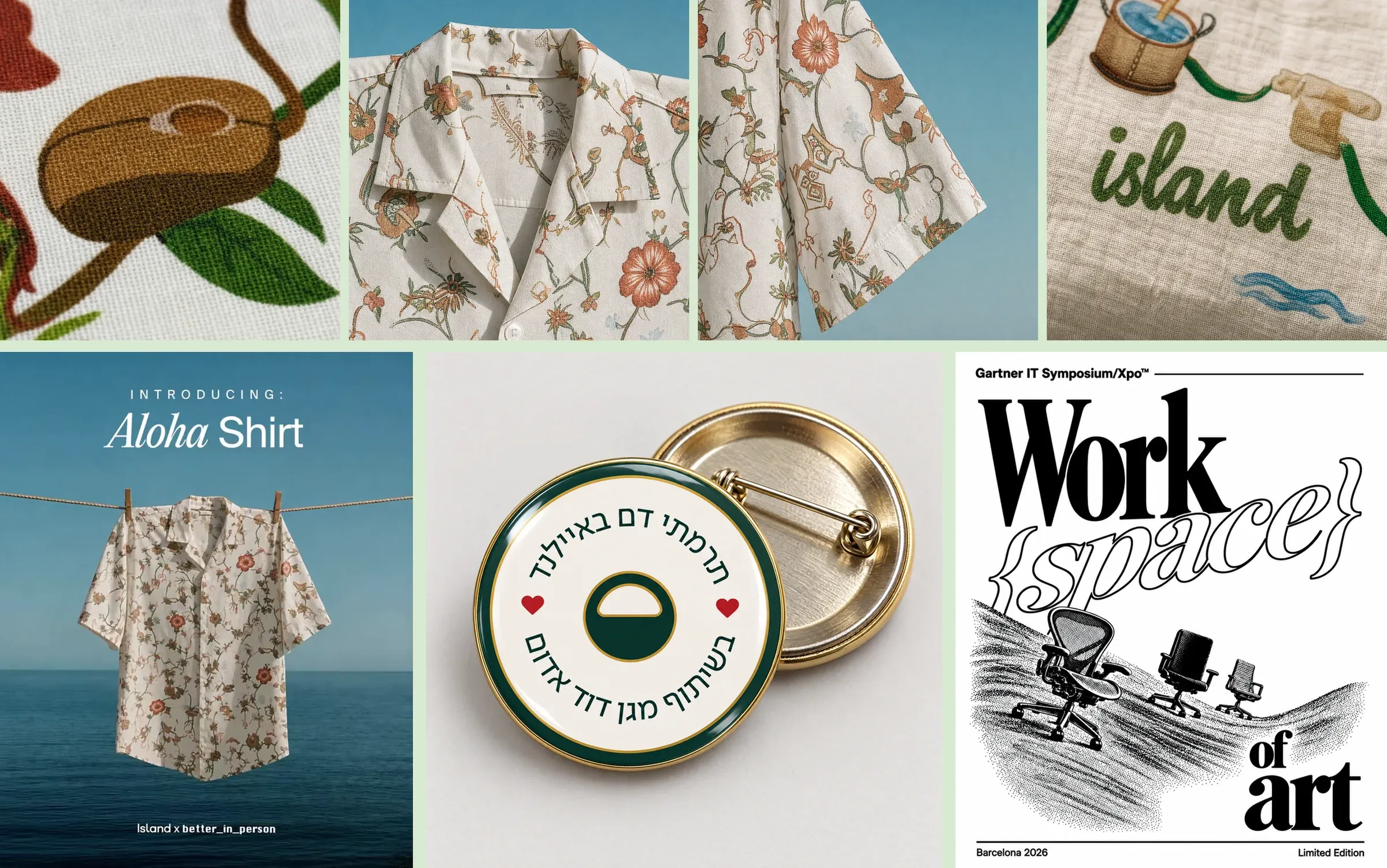
For Island life day, the team printed an Aloha shirt and a pareo with Michal Lurie's pattern of flowers, shells and a crab at a keyboard. They made close-ups of the printed fabric, then cut them into a clip showing the collection. Other projects included an enamel-pin mockup for Island's blood drive and preparing the Work{space} of Art poster for screen printing for Gartner in Barcelona.
03 / For brand teams
Running it as a team
The shared style gave the team somewhere to start, whether they were working on the site, a campaign or a new scene to animate. Individual styles gave them more room to explore. If your team already has a set of brand images, you can start the same way, training a style on that work and using it for new scenes.
1,241 results, 48 tools
How does a brand team keep a consistent visual style across campaign images?
Island's team started with a style trained on Yambo Studio's renders. They made new scenes with lora-gen, then edited, extended and upscaled the ones they wanted to use. Some team members also trained styles of their own as they explored more ideas.
How do you train a style on your brand's own imagery?
Pick images with the look you want to keep, train a style on them in Plnty, then choose it in lora-gen to make new scenes. The Island team worked with brand renders as well as images of mazes, clipped hedges and topiary.
Where did Island use the images its team made in Plnty?
On the website, in the launch film, on blog covers and event cards, and in the hiring campaign. They also made animations, a clip for their merch and a file for screen printing.
From exploration to production
What the process achieved
The team used their Plnty images on the site, in the launch film and across campaigns, while trying out animations and ideas for merch.
What required manual work
Plnty was part of the process. Yambo Studio made the original renders in Cinema 4D and Redshift, and the team used other tools for the homepage chairs, film editing and titles, and parts of the hiring campaign.
What remained unresolved
We haven't measured whether this saved the team time.
Sources and methodology
Work by Tami Ozsinay, Tom Chen, Adi Gueta, Bar Sharon, Noam Maoz and Omer Harlap from the Island team. Original brand imagery by Yambo Studio; Island life fabric design by Michal Lurie. The examples here come from the team's work in Plnty, Island's site and LinkedIn, with website screenshots from October 2026. The launch film is Island's, and its transcript was generated from the audio.
About the author


Train a style on your own work
Bring the pictures your brand already has, train a style on them in Plnty, and make the next ones there.