What is Plnty for Chrome?
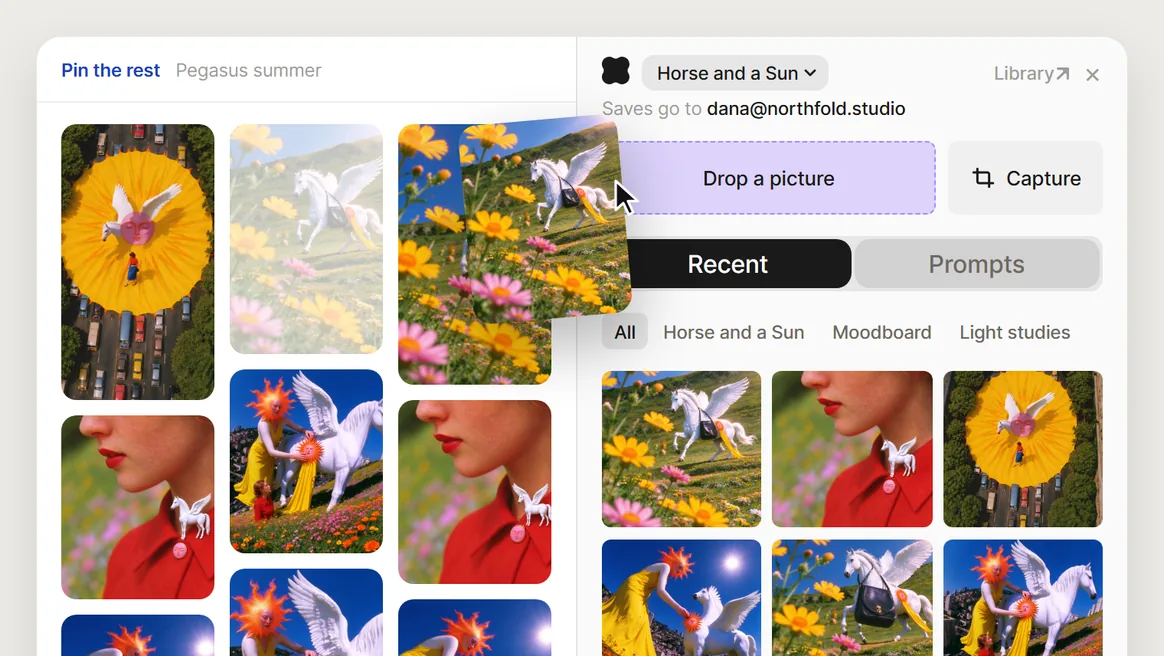
Plnty for Chrome is a free Chrome extension that saves pictures, videos, regions of a page and prompts from any website into your Plnty library. Your saves wait in References on every Plnty board, ready to drag in.
How do I save a picture from a website into Plnty?
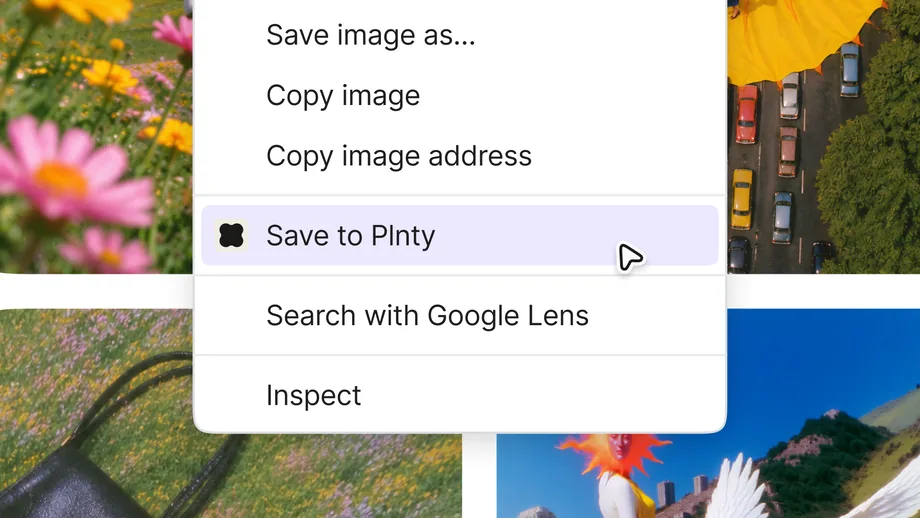
Right-click the picture and choose Save to Plnty. Plnty keeps the largest version the page offers, with the page it came from. To keep part of a page instead, open the Plnty panel, press Capture and drag a box over it.
Does saving cost credits?
Saving never spends credits. Saves take room in your Plnty storage, and when it is full the note on the page says so.
What can it read on the pages I visit?
It installs with access to no website and reads a picture, a region or a message only when you press something. On a site where you switch on Quick save, Chrome asks you first, and Plnty then finds the pictures there to put its Save button beside them.
Can it save prompts from ChatGPT and Claude?
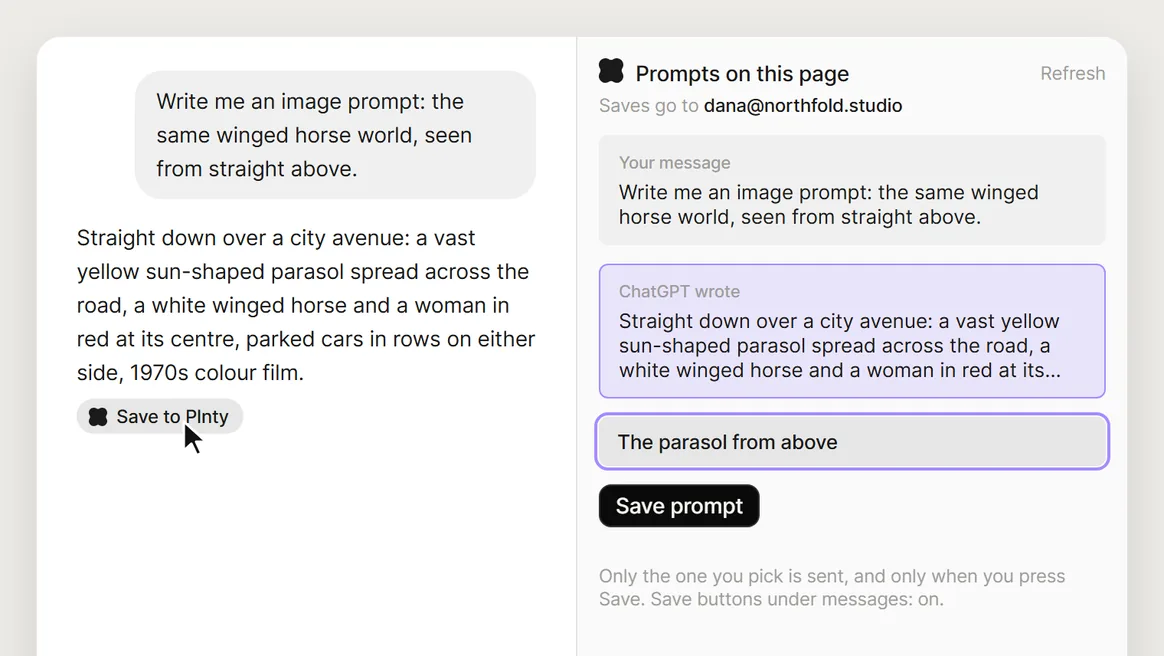
Yes. On chatgpt.com and claude.ai, the Plnty icon lists the prompts in the chat in front of you. Pick one, name it and press Save prompt, or press Save to Plnty under the message. Only the one you pick is sent, and it goes to Prompts in your Plnty library.
Which videos can it save?
A YouTube or Vimeo video is saved as a link that plays in its own player on your boards. A video on Instagram, TikTok or X is saved as its link and a still, since streaming video is never downloaded. A video file on any other site is saved as the file itself.
Does it work in other browsers?
It is built for Google Chrome, version 116 or later. Where a browser built on Chrome has no side panel, such as Arc or Opera, the Plnty icon opens the same panel as a popup.
What do I need to use it?
Chrome 116 or later and a Plnty account. Add it from the Chrome Web Store, pin it, click the Plnty icon and press Connect Plnty.